
Skip to content
macappstoday
  • Today’s appsThe apps launching today
  • CategoriesBrowse by what apps do
  • ArchiveEvery day so far
DealsBlack Friday dealsSubmitSubmit your App
Highlight Reel app icon
Launched yesterday · Thursday, November 26

Highlight Reel

Save your favorite movie and TV scenes from your Plex library
PriceFreemiumFree to start
CategoryVideo & audio ›
RequiresmacOS 15or later
LaunchedYesterdayNov 26 ›
Highlight Reel screenshot

About Highlight Reel.

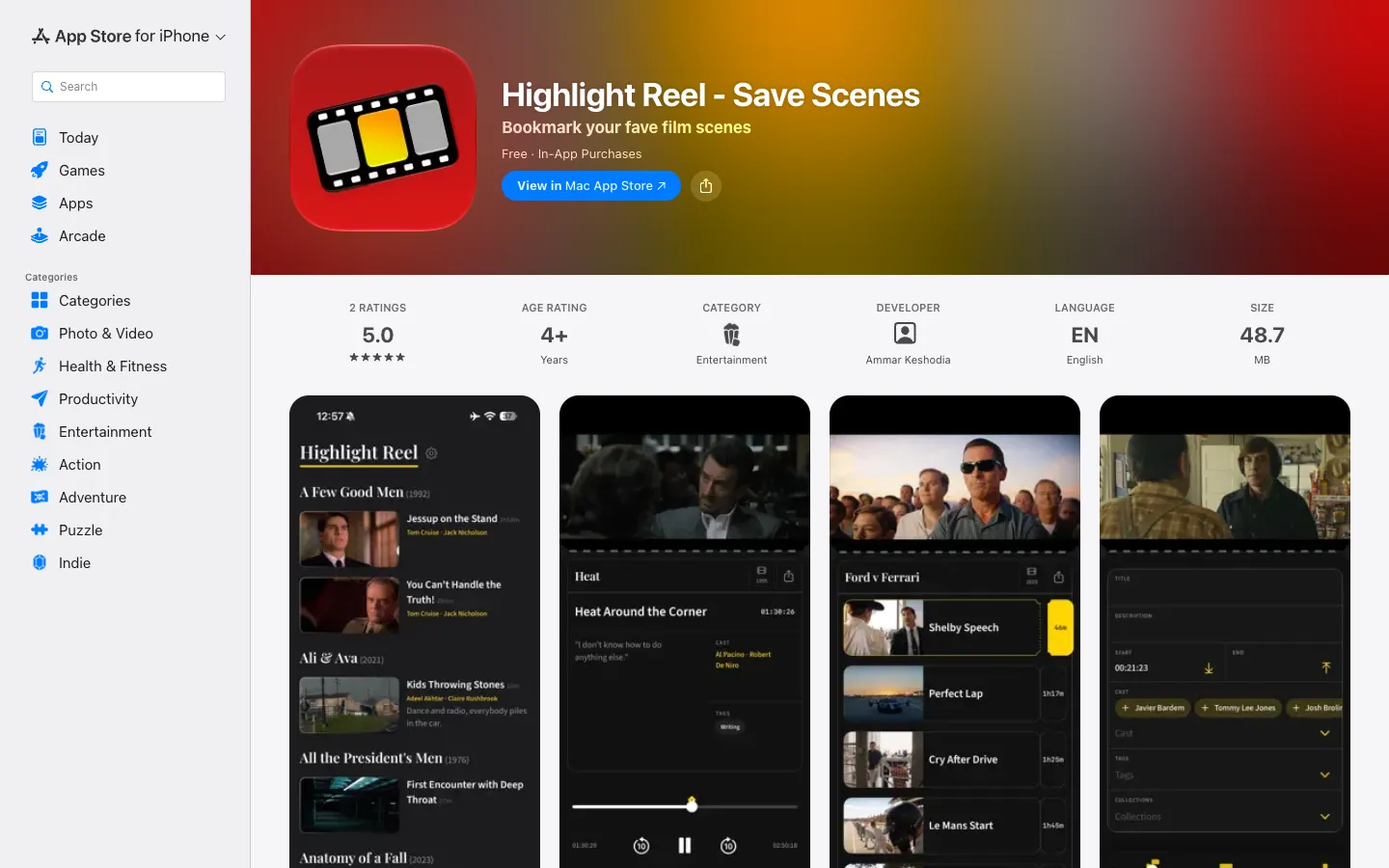
Highlight Reel lets you bookmark the movie and TV scenes you want to come back to. Browse your Plex library, save a highlight at the moment that stands out, then add a title, a note, tags and cast names.

Your highlights are organized by title, so you can jump back to the exact scene without searching through a whole movie. It needs a Plex account and works with the Plex Media Servers you have access to.

Features.

  • Precise highlights: Save a single moment or a whole scene with a start and end time.

  • Plex details: Film posters and cast info come from Plex automatically.

  • Notes and tags: Add notes, tags and cast names to remember what stood out, and group highlights into collections.

  • Durable Highlights: When Plex replaces or reindexes a movie file, Highlight Reel refreshes its Plex link and carries your saved timestamps over to the matching movie.

  • Subtitle search: Search supported external SRT subtitles in the video player and jump straight to a memorable line.

  • Reels Mode: Scroll through random highlights, a bit like channel surfing.

  • Sharing: Send a highlight to a friend as an MP4 clip or a timestamp.

  • Import and export: Back up your highlights as a CSV file, or import a shared file to add matching scenes for titles in your library.

  • Privacy: The App Store lists no data collected. Highlights sync privately through your iCloud account or stay stored on your device.

Pricing.

Highlight Reel is free for up to 5 highlights across 3 movies. Unlimited access costs $1.99 a month, $19.99 a year or $49.99 once for lifetime access.

  • Free: up to 5 highlights across 3 different movies

  • Paid: unlimited movies, TV episodes and highlights

  • Bought as in-app purchases on the Mac App Store

  • Some purchases can be shared through Family Sharing

  • A Plex account is required either way

Questions.

What is Highlight Reel?
Highlight Reel is an app for bookmarking favorite scenes from the movies and TV episodes in your Plex library.
Is Highlight Reel free?
Free with a paid upgrade. You can save up to 5 highlights across 3 movies for free, and unlimited access costs $1.99 a month, $19.99 a year or $49.99 once.
Does Highlight Reel work on my Mac?
It needs macOS 15 or later, and the download is about 48.7 MB. It also needs a Plex account and access to a Plex Media Server. The listing doesn't say whether it runs natively on Apple silicon or supports Intel Macs.
Is Highlight Reel available for Windows or iPhone?
It's on iPhone as well as Mac, and the iPhone version needs iOS 26 or later. Highlight Reel doesn't mention a Windows version.
Where can I download Highlight Reel?
From the Mac App Store. Ammar Keshodia makes it, and the latest version is 1.1, released October 31, 2026. It has no website of its own.
Is Highlight Reel safe?
It's distributed through the Mac App Store, where Apple reviews every app. The App Store lists no data collected, and highlights are synced through your iCloud account or stored locally. It requires a Plex account, and your media keeps streaming from Plex. There's no public source code.
Do I need Plex to use Highlight Reel?
Yes. Highlight Reel requires a Plex account and connects to any Plex Media Servers you have access to. It doesn't provide any movies or shows itself, and it isn't affiliated with Plex.

More in Video & audio.