
Helix
Open your clipboard, notes and screenshots from a ring at your pointer
About Helix.
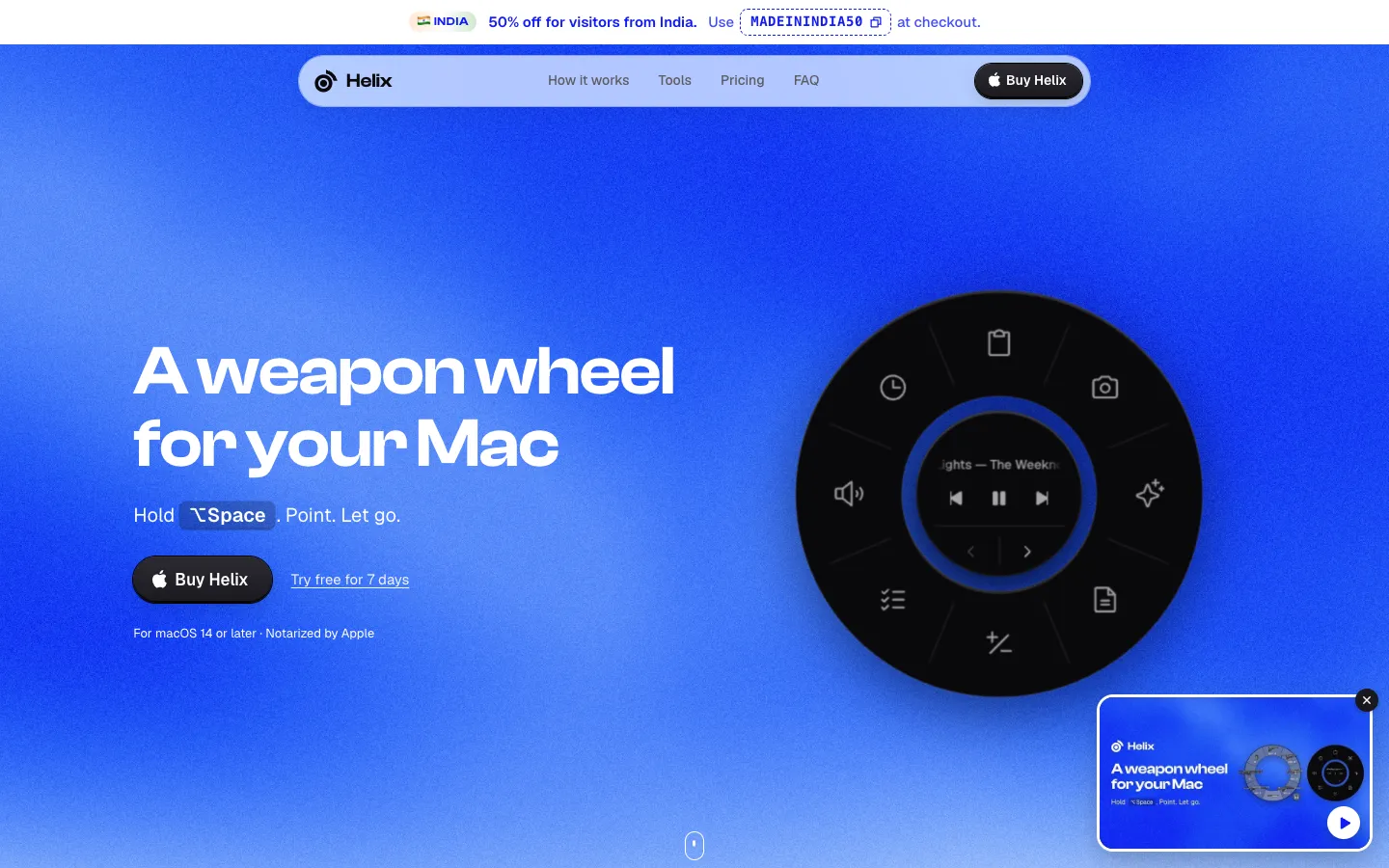
Helix is a radial menu for your Mac. Hold Option and Space, and a ring of tools opens around your pointer. Move toward the one you want and let go, the way you pick a weapon in a game.
The ring holds 16 small tools, including clipboard history, screenshots, notes, a calculator, timers and window snapping, so you don't need a separate app or shortcut for each. If you'd rather click, tap the shortcut once and the ring stays open.
Features.
Hold, point, let go: Hold Option and Space, move toward a tool and release to run it. Tap the shortcut instead to keep the ring open, then click a tool or press its number from 1 to 8.
Sixteen tools on two rings: Clipboard, Screenshot, Ask AI, Notes, Calculator, To-do, Volume and Clock sit on the first ring. Units, Windows, Links, Apps, Reminders, Voice Memo, Screen Record and Color Picker sit on the second. You can turn any of them off or move them around.
Clipboard history: Scroll through everything you copied and pick an item to paste it where you were typing. Copies that password managers mark as private are never saved, and you can list other apps for Helix to ignore.
Music in the middle: Whatever is playing in Spotify or Apple Music shows in the centre of the ring, where you can play, pause or skip.
Push past for options: Keep moving past Volume and a slider curves around the ring.
Ask AI: Chat with Claude or GPT in a small panel using your own Anthropic or OpenAI API key. The key is stored in your Mac's Keychain.
Keyboard control: The arrow keys move between tools and switch rings, Return runs the highlighted tool and Esc closes the ring. You can pick a different shortcut, or open the ring with the middle or side button on your mouse.
Three looks: Studio is a plain dark or light ring, Native uses your Mac's Liquid Glass, and Tinted gives every tool a colour you choose. All three follow light and dark mode.
Works offline: Only Ask AI and currency conversion in Units need the internet, and exchange rates are kept for offline use.
Privacy: There's no account and no ads, and the app has no analytics. Your clipboard, notes, to-dos and links are stored only on your Mac.
Pricing.
Helix costs $9, paid once, and you can try it free for 7 days first.
All 16 tools
Free updates, forever
No subscription
One licence works on up to 2 Macs
Every tool works during the trial, with no key or card needed
All sales are final, so the trial is the way to test it


