Resurf
Save links, notes, screenshots and PDFs and let your AI agents search them
About Resurf.
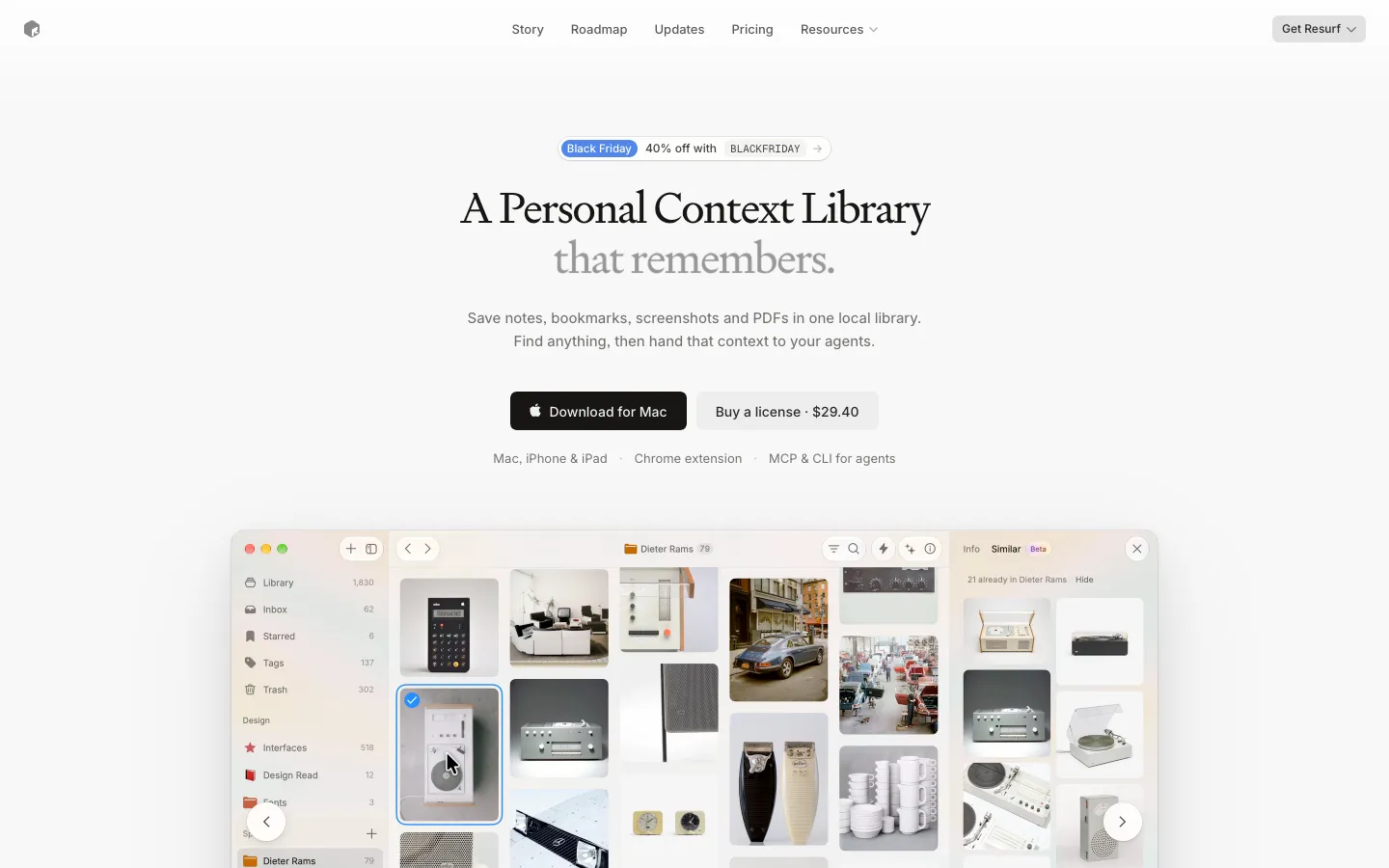
Resurf keeps the links, notes, screenshots, PDFs and images you save in one library on your Mac. You capture with a shortcut from any app, and new items land in an inbox, so you can sort them into spaces later or just search for them.
Everything is stored as ordinary files on your Mac, and it syncs to iPhone and iPad through your own iCloud. When you start a project, AI agents such as Claude, Cursor or Codex can search and read what you've saved over MCP.
Features.
Quick Capture: Save notes, links and screenshots with a global shortcut. You can also copy something and double-tap Option to add it from your clipboard, and rename a capture as you save it.
Inbox First: New captures wait in an inbox. Assign them, keep them for later or delete them with one key.
Spaces and tags: Group references by project, topic or idea. Areas collect related spaces.
Visual library: Bookmarks, images and screenshots show as a grid of previews. Select an image to find similar ones across your library.
Search: Search by words or by meaning. Full-text search covers notes, saved articles, PDF text and words inside screenshots, and it runs on your Mac.
Reader, notes and PDFs: Read saved articles in a clean reader, write Markdown notes with headings, lists, code and pictures, and open PDFs inside Resurf. You can highlight or comment on text in saved pages and annotate PDFs.
Voice Memos: Record a thought and keep it in your library.
Capture from anywhere: Save from the Chrome extension and from the iPhone share sheet, and it all ends up in the same library.
Your agents, connected: Claude, Cursor or Codex can search and read your library through MCP or the command line, so you can hand an agent the references you've already collected.
Bring your own AI (opt-in): Summaries, an assistant that answers questions about what you've saved, and automatic titles, tags and spaces for new captures. Use your own key from OpenAI, Anthropic, Gemini or OpenRouter, or run models locally with Ollama. AI is off until you switch it on.
Files you own: Your library is a folder on your Mac. Notes are plain text files and images, PDFs and recordings keep their original formats, so they open without Resurf. You can export everything from Settings.
Private sync: Sync between Mac, iPhone and iPad goes through your own iCloud, with no Resurf account and no Resurf server. You can turn sync off and keep the library on one device.
Pricing.
Resurf for Mac costs $49 with 2 years of updates, or $99 for lifetime updates, paid once. Until Monday, November 30, use the code BLACKFRIDAY to get 40% off either plan ($29.40 or $59.40).
7-day free trial with every feature, no card needed
Unlimited captures and spaces
One licence works on up to 2 Macs
No subscription; the 2-year plan renews for $29 only if you want more updates
The iPhone and iPad app is free
14-day money-back guarantee
Student discount on request
What users love.
The design Many users single out the interface, calling it stunning, smooth and one of the main reasons they tried it.
Fast capture that stays local Long-time users say capturing is quick and simple, and they like that everything stays on their own devices.
The native rewrite Users who held off on the earlier version say the native app finally felt fast enough to buy.
Handing context to AI Several people say the MCP connection sold them, because they no longer paste the same notes and links into every AI chat.
Quick updates Users mention new features and fixes arriving often.