Bytewell
Clear Xcode, node_modules and AI model clutter from your Mac
About Bytewell.
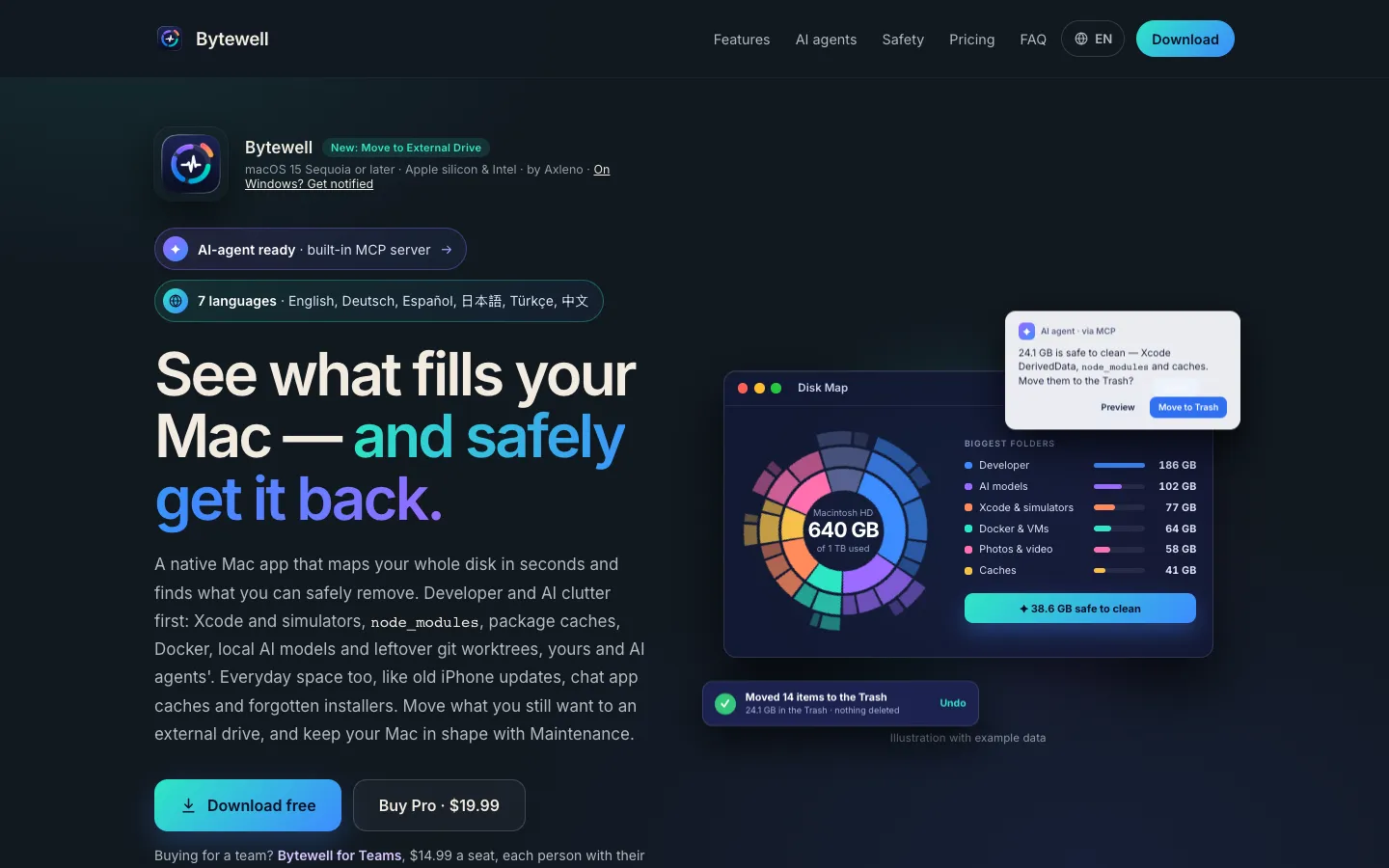
Bytewell maps your Mac's disk and shows what you can safely remove, starting with developer and AI clutter such as Xcode files, node_modules folders, Docker disks and local AI models. Each suggestion is marked Safe, because it rebuilds itself, or Review, because it's your own data or a long re-download.
Nothing is deleted permanently. Everything moves to the Trash, with Undo. You can also move big items to an external drive, and connect an AI assistant through the built-in MCP server.
Features.
Disk Map: See your folders as rings, blocks or a 3D city, and what changed since the last scan.
Cleanup suggestions: Each group says why it's on your disk and what removing it costs. For things a tool manages better, such as Ollama models and simulator runtimes, Bytewell shows the exact command instead.
Developer clutter: Xcode DerivedData, simulators, node_modules, Python virtual environments, build output and package caches are grouped by project, with stale projects flagged. Version 1.4.8 adds Homebrew leftovers.
Local AI models: Models from Ollama, LM Studio and Hugging Face appear in one list, including the same weights stored twice.
Docker and System Data: Docker, OrbStack, Colima and Podman disks are listed, and the grey System Data in macOS is broken down.
Duplicates and Large Files: Find duplicate files and the same photo saved more than once, plus ready views for screen recordings, old installers and files you haven't opened in a year.
Everyday space: Old iPhone and iPad software updates, chat app caches and forgotten installers.
Apps: Pro's uninstaller removes an app with its caches, settings and login items in one step, and finds leftovers from apps you already removed. Install Watch lists what an installer put on your Mac.
Move to External Drive: Bytewell copies an item to the drive, reads every byte back, and only then moves the original to the Trash. This is a Pro feature. Checking and bringing items back are free.
Maintenance: Pro adds App Updates, Privacy, iPhone Backups, Speed and Malware Check, which compares startup items with known adware and isn't an antivirus.
Disk Health: Free. It reads how worn your SSD is, how much has been written to it, swap use and, on a MacBook, battery capacity.
Autopilot: Opt in and Bytewell moves old, safe clutter to the Trash after scheduled scans. Free users get rehearsals that move nothing, and moving, scheduled scans and your own rules are Pro.
AI-agent ready: A built-in MCP server connects Claude Code, Claude Desktop, Cursor, Codex, Gemini CLI, Windsurf and VS Code. Keychains, Mail, Messages, Photos, browser profiles, SSH keys and .env files are always refused.
Menu bar and more: Free space in the menu bar, a desktop widget, Shortcuts and Siri actions, and a command-line tool. It speaks seven languages.
Privacy: There's no account, and scans never leave your Mac. Anonymous usage counts are sent only if you agree.
Pricing.
Bytewell is free to use. Pro costs $19.99, paid once, and Bytewell Teams costs $14.99 a seat, also paid once. The site calls $19.99 its launch price and doesn't give an end date.
Free: Disk Map, Cleanup suggestions, Large Files, Disk Health, menu bar, Undo, everyday space, Autopilot rehearsals and basic AI-agent tools
Pro: Apps, AI Models, Projects, Duplicates, Docker, System Data, Maintenance, Move to External Drive, History and forecast, Autopilot moving to the Trash and every Pro tool over MCP
14-day Pro trial, no account or card needed
Updates are free for life, on all of your Macs
Teams is for 3 seats or more, and each person gets their own lifetime key
30-day money-back guarantee
What users love.
Finds forgotten clutter A user who tried the free version found virtual environments they'd forgotten and a large amount of old node_modules folders from finished projects, all without paying.