1DevTool
Run Claude Code, Codex and more side by side in one workspace
About 1DevTool.
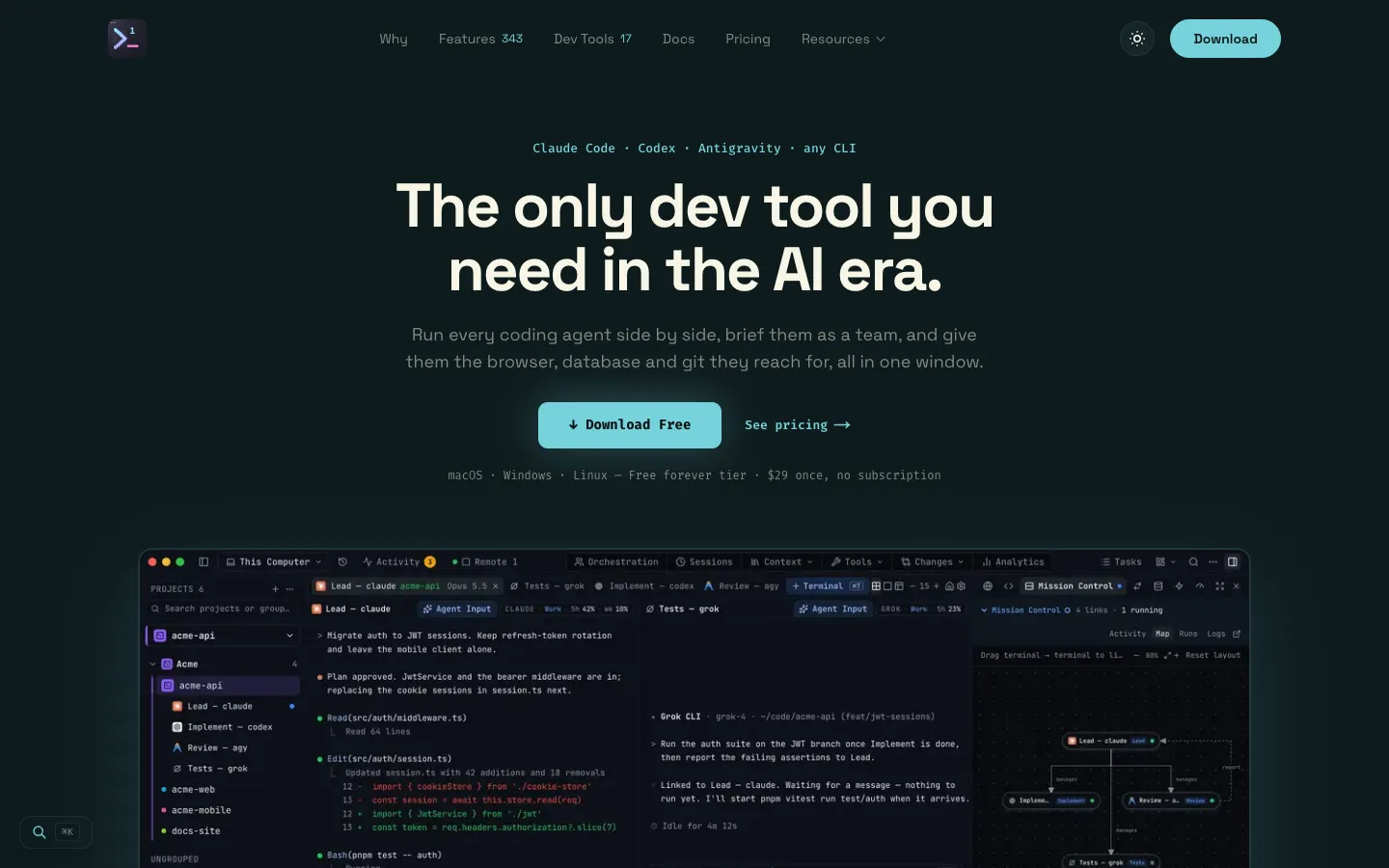
1DevTool is a workspace app for running several coding agents at once. Each project gets its own workspace with terminals for Claude Code, Codex, Gemini CLI or any other command-line agent, next to a built-in browser, database client, HTTP client and git client that the agents can use too.
You type one task and @mention the agents that should help, and Mission Control shows which are working and which are waiting on you. It runs the agents' own command-line tools on your own subscriptions, so 1DevTool doesn't charge for AI usage.
Features.
Agent Teams: Type one task, @mention the agents that should help, and they work on it in parallel. Teams, pipelines and hierarchies can be saved as reusable charts, and a crashed or out-of-quota agent hands off to a backup.
Agent Input: A proper text editor that types into any terminal. You can @mention files, agents, terminals, templates, skills and projects, drafts survive restarts, and you can schedule a prompt or send one draft to many agents.
Terminals for any agent: Run Claude Code, Codex, Gemini CLI, Cursor, OpenCode, Cline, Aider or any shell command side by side. Terminals survive restarts and pick up where they stopped.
Built-in tools: An embedded browser, database client, HTTP client, git client with worktrees, and Docker manager sit beside the terminals. Agents drive them through a built-in MCP server, which is how they reach tools outside the terminal.
AI diff review: Review changes an agent made one hunk at a time before you apply them.
Multiple accounts: Sign in to several Claude, Codex, Gemini and Grok accounts and pick which one each terminal uses. Each terminal header shows that account's 5-hour and weekly quota.
Phone app: The iPhone and iPad app (free) lets you follow agents, answer their questions and approve plans, and an Android app is in beta. Alerts are end-to-end encrypted, and the phone connects over your network or Tailscale. Remote and mobile access come with Pro.
Editor and workspace extras: A built-in editor, SSH projects, sticky notes, saved layouts, skills, prompts and memory. Version 1.85 added a single search box that finds any setting.
Privacy: The desktop app runs on your machine, and the vendor says it doesn't collect, transmit or store your code, terminal sessions or project data.
Pricing.
1DevTool has a free tier, and Pro is paid once: $29 for 1 device, $59 for 3 devices or $89 for 5 devices.
Free: no account, 1 project, 4 terminals, 1 browser tab, unlimited prompts, agent @mention orchestration, a git client with 1 worktree, 1 database connection, 5 saved HTTP requests and 5 AI diffs a day
Pro: unlimited projects, terminals, browser tabs, database connections, HTTP requests, worktrees and AI diffs, plus project groups, custom layouts and themes, remote and mobile access and priority support
Every Pro licence includes 12 months of updates
After that the app keeps working on the last version you received, and an optional renewal at about 30% off brings updates back for another year
No subscription, and no charge for AI usage: you bring your own subscriptions or API keys
7-day money-back guarantee


