About Super Shortcuts.
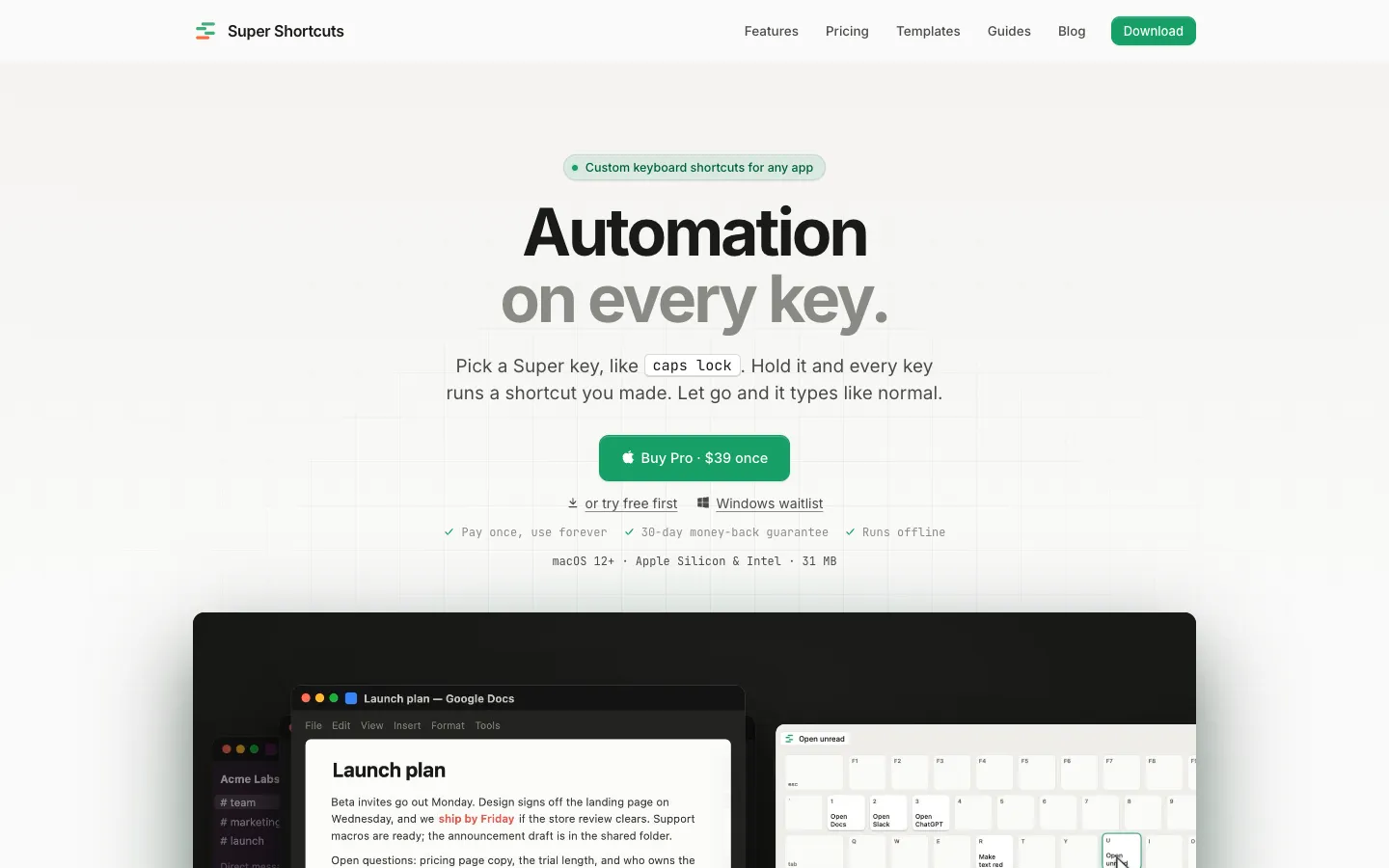
Super Shortcuts turns one key, such as Caps Lock, into a Super key. Hold it and every other key runs a shortcut you made: open an app, click a menu item, type a saved prompt or run a script. Let go and the keyboard types as normal.
Each shortcut can belong to an app, a website or a single page, so the same key can do different jobs in different places. Holding the Super key shows a picture of your keyboard with every shortcut on it, so there's nothing to memorize.
Features.
The Super key: Choose Caps Lock, Right Option, Right Command or Right Control. Behind the scenes it presses Control, Option and Command together, a combination macOS leaves free, so your shortcuts don't clash with ones you already use.
Shortcut Keyboard: Hold the Super key to see your keyboard with each shortcut on its key. You can add your own labels, icons and pictures, and drag shortcuts to other keys.
Speed Dial: Put the apps you use all day on their own keys instead of cycling through Command-Tab.
Same key, different job: Scope a shortcut to an app, a website or one page, such as github.com/pulls.
Custom shortcuts in any app: Put menu items, buttons and key combos on a key, including commands that never had a shortcut, like Freeze Panes in Excel.
Prompts on a key: Type saved text that can pull in your clipboard, the selected text or today's date.
Automation without code: Chain steps such as pressing keys, clicking a button, typing text, opening apps, files and links, and running Apple Shortcuts. The steps read like plain sentences.
Scripts on a key: Run shell scripts, AppleScripts or Apple Shortcuts, with your selected text passed in.
Voice commands (Pro): Say a phrase to run a shortcut in the right app. Speech is transcribed on your Mac, offline.
Templates and Library: Start from ready-made shortcuts for Google Docs, GitHub, VS Code, meetings and more, or add whole packs from the Library.
Skins: The November 2, 2026 release adds eight keyboard looks. Glass and Glass Dark are free, HUD unlocks when you sign in, and Slate, Polar Night, Koi Pond and Raked Garden come with Pro. Each skin counts the shortcuts you run with it.
Sync and share: Pro syncs your shortcuts between your Macs, and when you're signed in you can share any shortcut as a link.
Time saved: Home shows the time you saved this week and your streak, and Insights ranks your most used shortcuts.
Privacy: Shortcuts run on your Mac and need no internet connection. Usage analytics, tied to a random install ID rather than your name, and crash reports are on by default. You can turn both off in Settings, and in the EU, UK and Switzerland analytics wait for your yes.
Pricing.
Super Shortcuts is free for up to 10 shortcuts, and Pro costs $39, paid once.
Free: 10 shortcuts, the Super key and Shortcut Keyboard, app and site scoping, every template, no sign-in
Pro: unlimited shortcuts, voice control, Choose on screen and Sync between your Macs
Pro works on up to 3 of your Macs
Pro includes 1 year of updates and Sync. Renewing after that is optional at $19 a year, and the version you have keeps working if you don't
30-day money-back guarantee on your first Pro purchase
Teams: $12 per seat per month with a 5-seat minimum, adding a shared team library and seat management


