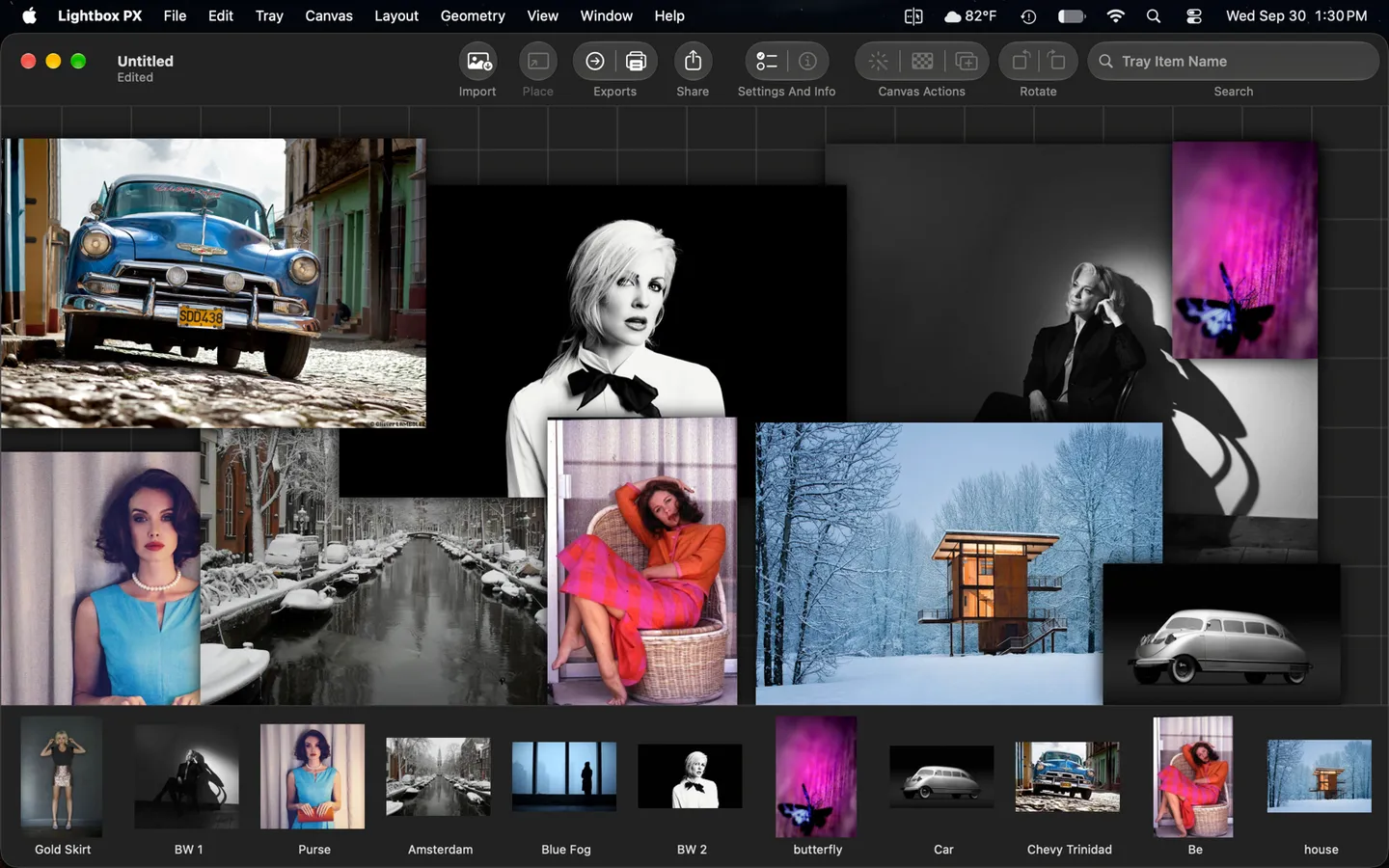
Lightbox PX gives you an unlimited canvas for your images. Drop in as many as you want, then arrange, align and resize them to inspect them, compare them or see how they work together.
The canvas grows as you add images. You can apply built-in effects to any of them, drag high-resolution images out to the Finder or another app, and export or print the whole layout.
Features.
Unlimited canvas: The canvas expands on its own to fit any number of images.
Layout tools: Align, resize or re-order single images or groups, relative to the canvas or to other images.
Canvas automation: Duplicate, replicate, uncover and re-align items with built-in functions.
Image effects: More than 70 effects can be applied to items on the canvas. Copy and paste the settings to repeat an effect on another item.
Drag out: Drag or copy high-resolution images from Lightbox PX straight into another app or the Finder.
Canvas export: Capture the whole layout as one image and export it in a range of formats, or print it.
Sharing: Send your canvas to other apps, the Finder or internet services.
Liquid Glass and undo: Version 1.1.1 updated the interface for Liquid Glass and improved undo across the app.
Pricing.
Lightbox PX is a free download. In-app purchases remove the watermarking.
Annual subscription: $19.99
Annual subscription with sharing: $29.99
Lifetime license: $39.99
Lifetime license with sharing: $59.99
Questions.
What is Lightbox PX?
Lightbox PX is an image layout app for Mac that puts your photos on an unlimited canvas so you can arrange and compare them.
Is Lightbox PX free?
Free with a paid upgrade. The download is free, and in-app purchases remove the watermarking: $19.99 a year, $29.99 a year with sharing, $39.99 for a lifetime license or $59.99 for a lifetime license with sharing.
Does Lightbox PX work on my Mac?
It needs macOS 27 and a Mac with an Apple M1 chip or later, so Intel Macs and older macOS versions aren't supported. The download is about 3.3 MB, and version 1.1.1 added support for macOS 27.
Is Lightbox PX available for Windows or iPhone?
No. Lightbox PX is a Mac app, and its pages don't mention a Windows or iPhone version.
Where can I download Lightbox PX?
From the Mac App Store. einstein's legacy v2.0, LLC makes it, and the latest version is 1.1.1, released October 4, 2026.
Is Lightbox PX safe?
Lightbox PX is distributed through the Mac App Store, where Apple reviews every app. Neither the App Store listing nor the website says which permissions it asks for, and there's no public source code.
How do I compare photos side by side on a Mac?
With Lightbox PX, add your images to the canvas and arrange them next to each other, then use the layout tools to align and resize them so they line up.
Does Lightbox PX copy my images into the canvas?
No. The maker says in the launch post that a Lightbox document stores links to your original images, not copies. A setting scales images as you place them.