DotStrip
Scroll your music, headlines, stocks and weather in the menu bar
About DotStrip.
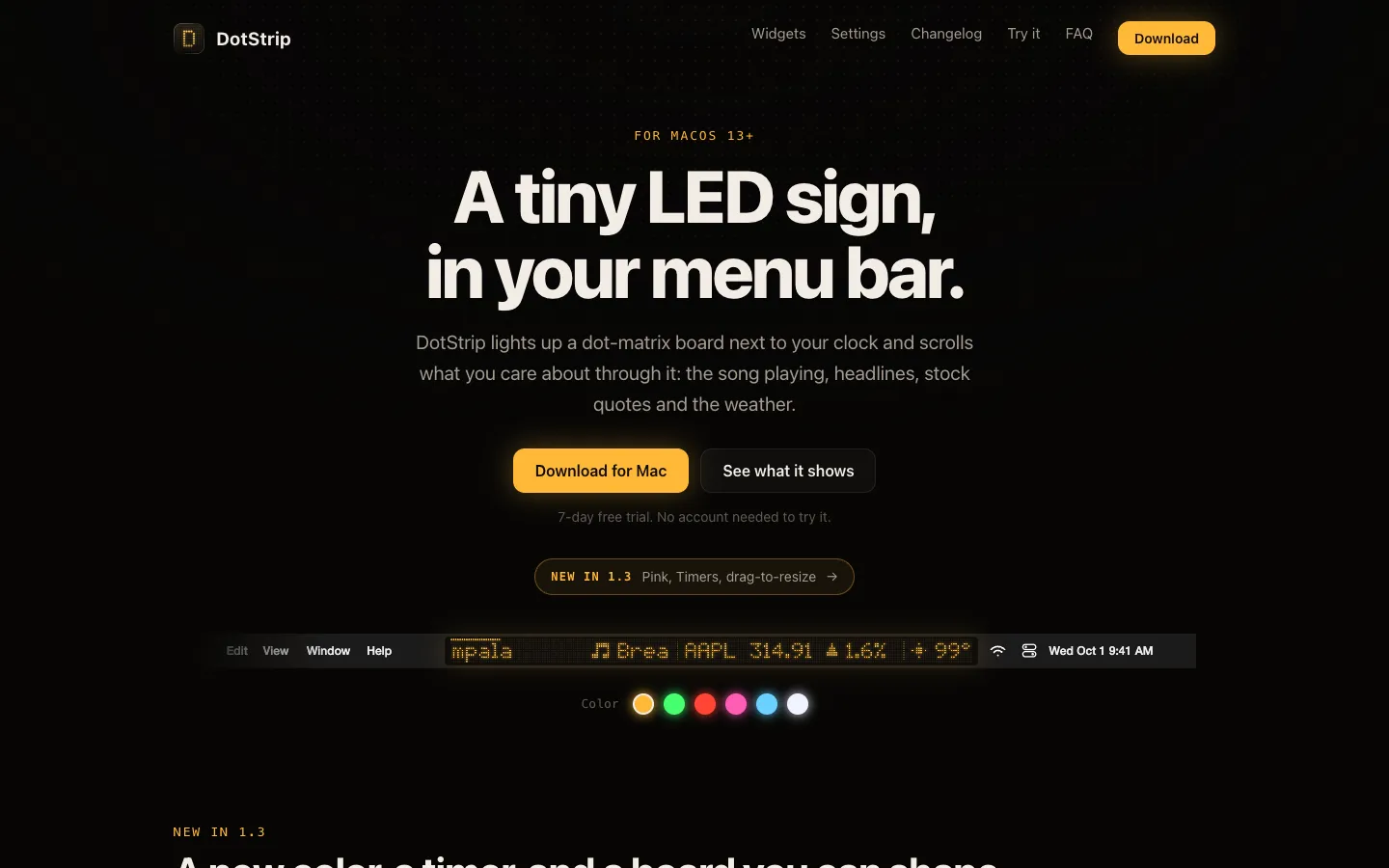
DotStrip puts an LED-style dot-matrix board next to your clock and scrolls the song playing, headlines, stock quotes and the weather through it. Turn on the widgets you want, then give each its own zone or let them take turns on one band.
The board is drawn like a real sign. Text moves one dot at a time in a 5x7 bitmap font, and only the lit dots redraw, which keeps it light on your Mac. You can pick one of six colors, or hand the whole board to an animation such as a trotting dog.
Features.
Now Playing: Shows the track and artist from Spotify or Apple Music, with a thin progress bar along the top row.
News ticker: Scrolls headlines from any RSS or Atom feed you point it at.
Stocks: Shows quotes for the symbols you track, with an arrow for which way the day is going.
Weather: The temperature flips between now, today's high and today's low, with an animated sun and rain. You pick your city from a search.
Timers: Start a preset like 5M or 25M from the board, or add lengths such as 90s or 1h30m. An hourglass empties as the time runs down, and a finished timer flashes.
Graphics mode: Give the whole panel to an animation instead of widgets. The dog trots, sniffs around, sits, wags and sometimes curls up to sleep, and the app has more to choose from.
Board layout: Each widget can have its own zone, or all of them can share one continuous band and take turns. Drag the seams between widgets to resize them. Your sizes are remembered, and Reset Width puts them back.
Six colors: Amber, Green, Red, Pink, Ice and White, each with its own panel tint. High Contrast gives the board a deeper black background, and on macOS 26 with a capable display, HDR Glow makes the lit dots brighter than white.
Whole-dot scrolling: Text steps one dot column at a time, so it reads as a grid of lights and not smooth text. You can set the scroll speed.
One menu: Everything is under Board, Appearance and Widget Settings in a single menu. There's no preferences window and no Dock icon. Launch at Login is off by default, and the app installs its own updates.
Privacy: DotStrip keeps no analytics on you. Weather comes from Open-Meteo, quotes from Yahoo Finance and headlines from the feeds you choose, and none of them needs an account.
Pricing.
DotStrip costs $9.99, paid once, with a 7-day free trial that includes everything and needs no account.
Everything in the app, nothing held back
Lifetime licence, no subscription
Updates through the app
When the trial ends, the board stops until you buy a licence
What users love.
The colors One user liked choosing colors like Ice and Amber to match the glow to their macOS theme.
HDR mode One user who set it up on a monitor recommended turning on HDR mode to make the dots really pop.