Sonari
Make music by moving your hands in front of your Mac's camera
About Sonari.
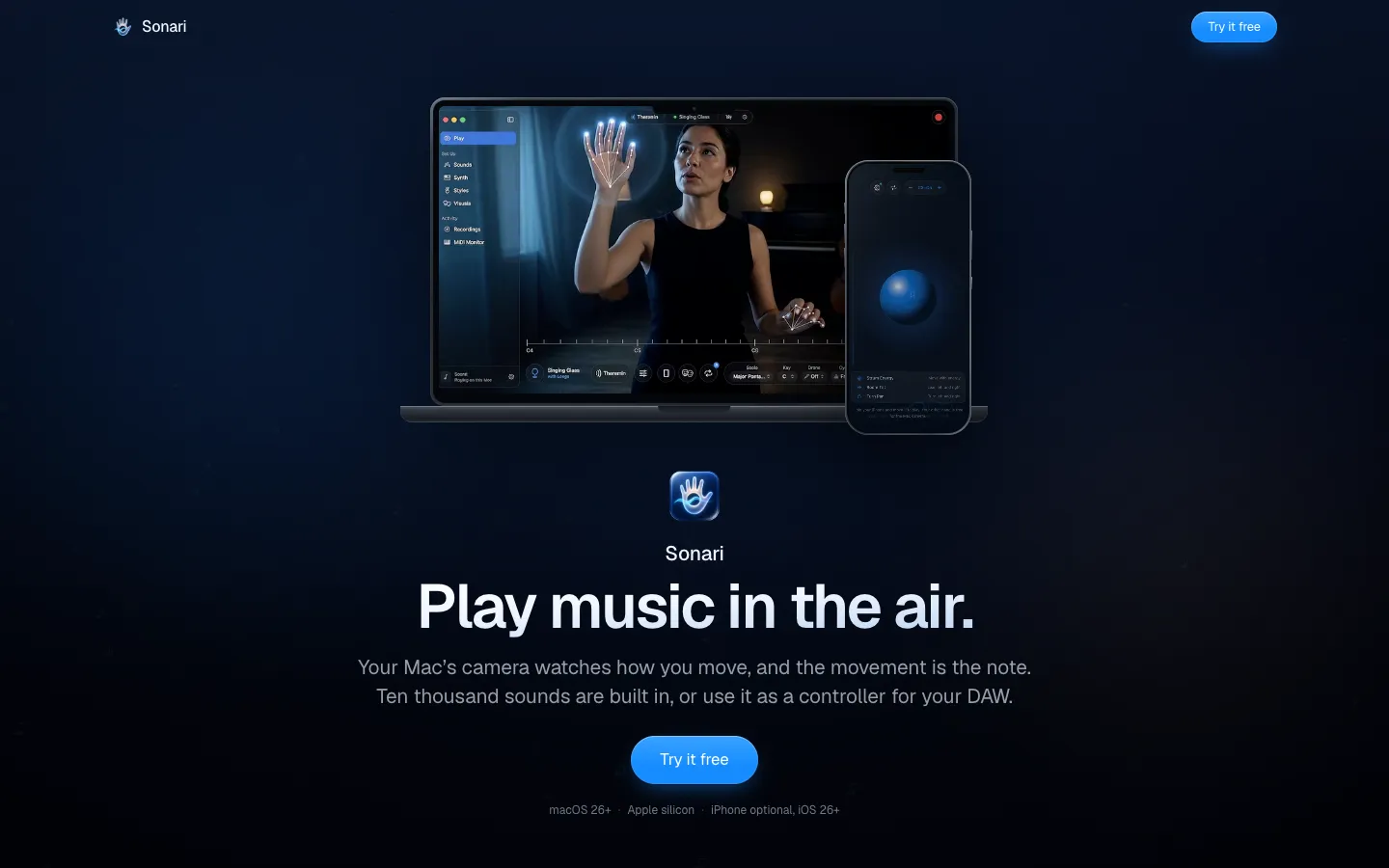
Sonari turns your Mac into an instrument you play by moving your hands in front of its camera. Raise a hand and the note climbs, spread your fingers and the sound opens up, and about 10,000 built-in sounds play straight away with nothing to plug in.
It also works as a MIDI controller. Sonari shows up as an input in Logic Pro, Ableton Live or GarageBand with no driver to install. You can also play chords from the Mac keyboard without a camera, or pair a free iPhone app for tilt, touch and breath.
Features.
Hand tracking: The Mac's built-in camera reads your hands, your face and the way you lean. Lift a hand to raise the pitch, open your fingers to brighten the sound, and keep moving to shape a note while it holds.
Seventeen playing styles: Each style makes Sonari a different instrument, including Theremin, Piano, Guitar, Strings, Drum Pad, Harmony and Ambient. You can also save your own gesture mappings with Custom.
Key Deck: Chords sit on the number keys and a melody runs across the letter rows, with the trackpad adding expression. It works without a camera.
Styles that need no hands: One Hand gives a single hand the whole instrument. Face and Head play from head turns and an open mouth, and Breath is played by humming into a paired iPhone.
Sounds and Sonari Synth: About 10,000 instruments are built in, from grand pianos to gamelan, played by a 64-voice synthesizer. Open any sound to reshape it, or sing into Sonari or sample a sound in the room to make a new instrument.
Backing parts: Add a bassline, groove or pattern under what you play. The parts follow the chord you hold, and your hand decides how hard they push.
Scales from many traditions: 496 scales and 221 rhythm cycles, including Indian ragas, Arabic maqams, gamelan and microtonal tunings, each at its own pitches. Pick a scale and every note you reach for stays inside it.
MIDI for your DAW: Send MIDI 2.0, standard MIDI or MPE (per-note pitch bend and expression) to a music app. MIDI Learn maps controls, Mackie Control runs transport, and OSC output reaches other software. Sonari's own sound steps aside when a DAW is running, and Play Both turns it back on.
Air Looper and recording: Sonari is always recording, so a take you didn't plan is still there afterwards. Layer parts with the looper, undo a take, and keep editable MIDI, audio or a screen recording with sound.
Stage visuals: More than 1,000 visuals move in time with what you play. Show them full screen or send them to a projector.
Sonari Remote for iPhone: The free companion adds six ways to play: touch, tilting the phone, face expression, breath and voice, its camera as a second view of your hands, and room zones on iPhones with LiDAR. It can also sample up to 30 seconds of sound and send it to the Mac. It pairs once with a six-digit code.
Privacy: No account, no server, no analytics and no crash reporting. Camera processing stays on your Mac, and the App Store label reads "Data Not Collected".
Pricing.
Sonari costs $99 once, as an in-app purchase after a 14-day free trial of the whole app.
Free download from the Mac App Store
No subscription, no tiers and no account
Saved work, recordings and exports stay available when the trial ends
Sonari Remote for iPhone is free
What users love.
The camera-free Key Deck Early commenters picked out Key Deck as a way to learn the sounds and mappings before trying to play with gestures, or when setting up a camera isn't practical.
The theremin idea One commenter who likes how a theremin works was drawn to Sonari for the same reason.