DeskyPaw
Get a 3D pet that walks along the bottom of your Mac screen
About DeskyPaw.
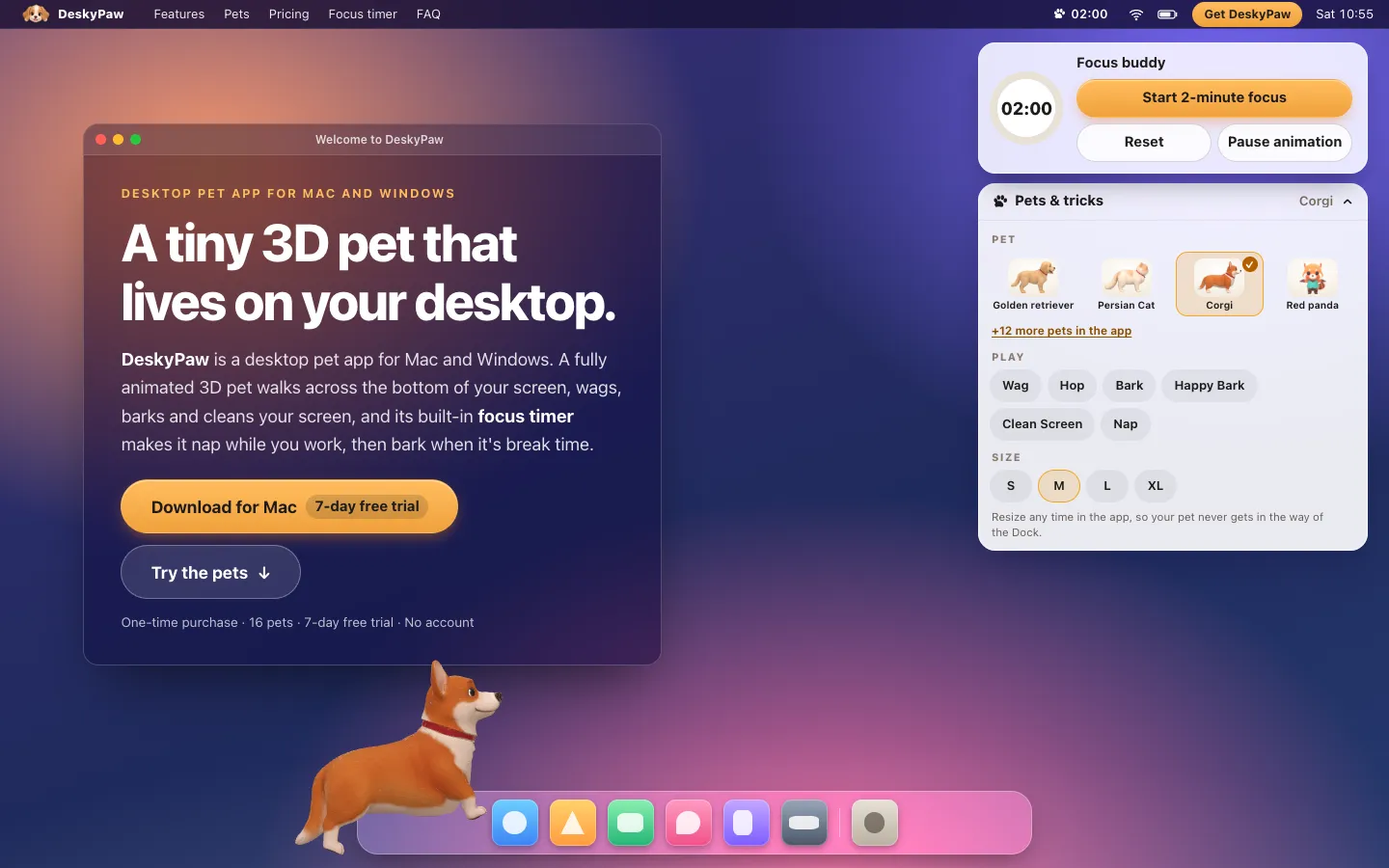
DeskyPaw puts an animated 3D pet on your Mac desktop. A dog, cat or red panda walks along the bottom of your screen, hops, wags and barks, and now and then comes up close and cleans the screen. Sixteen pets are included.
It also works as a focus timer. Start a 25 or 50 minute session and the pet naps while you work, then walks over and barks when it's time for a break. The pet sits in a transparent window that clicks pass through, so it stays out of your way.
Features.
16 pets: Golden retriever, corgi, Shiba Inu, Husky, Persian cat, Russian Blue, red panda and nine more. All of them come with the app, with no per-pet unlocks.
Life on your desktop: The pet walks, hops, wags, barks or meows, and cleans the screen, leaving smears that fade. Cats meow and the red panda waves instead of barking.
Focus buddy: Pick a 25 or 50 minute session from the paw icon in the menu bar. The pet naps beside you while the countdown runs, then barks or cleans the screen at break time. Your daily streak is in the menu.
Healthy reminders: Optional bubbles remind you to rest your eyes, drink water and stretch. Sound is off until you turn it on.
Never in the way: Clicks pass through the pet's window except on the pet itself. Drag it somewhere else, pinch the trackpad or use the menu to resize it from small to extra large, and set its nap corner.
Menu bar control: The paw icon lets you pick a pet, choose which display it lives on, and hide or show it. Control-Option-P does the same from the keyboard.
Speech bubbles: Version 1.0.1 moved bubbles and tips above the pet's head so they don't cover its face.
Light when hidden: A hidden pet uses almost no CPU.
Privacy: No account, no analytics and no tracking. The app makes no network connections during the trial, and after activation it works offline apart from a license re-check about once a week.
Pricing.
DeskyPaw costs $3.99, paid once, after a 7-day free trial.
All 16 pets, the focus timer, reminders and streaks
No subscription
One license works on up to 2 of your computers
The trial runs inside the app with no account or payment details
14-day refund, no questions asked