
About Hikage.
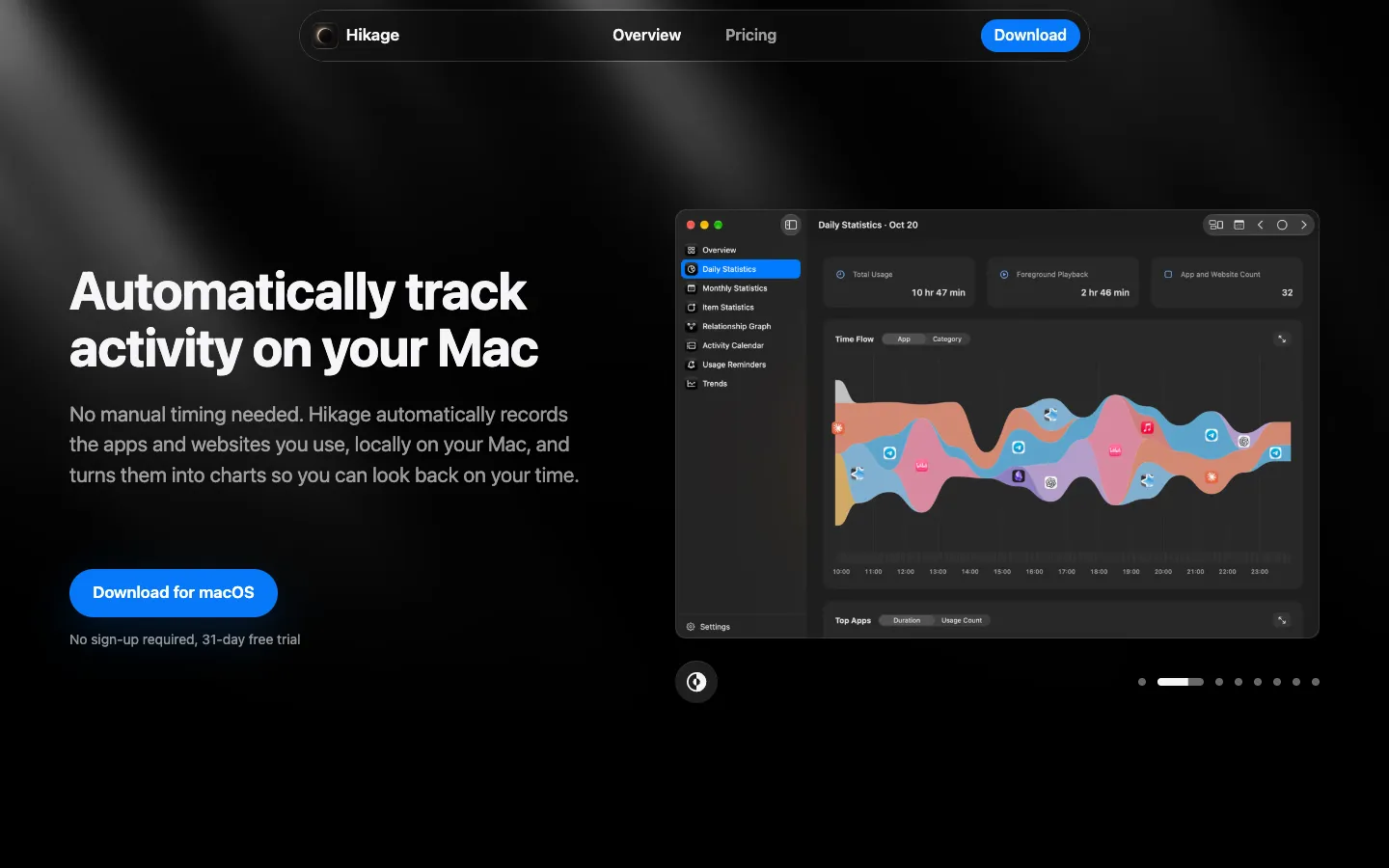
Hikage records which apps and websites you use on your Mac and turns that into charts you can look back on. There's no timer to start. It notices app switches in the background and uses your keyboard, pointer and video playback to leave idle time out.
Each day gets a Time Flow chart of every app switch and a breakdown of time by category, and you can set reminders for focus, breaks and daily limits. Your records stay on your Mac by default, with optional backup to iCloud.
Features.
Automatic Recording: Hikage logs app switches in the background, so there's nothing to start or stop. Away detection uses keyboard and pointer activity, video playing in the front app and sleep to keep idle time out of your numbers.
Website statistics: It records sites in Safari, Chrome, Chromium, Edge, Brave, Opera, Vivaldi and Firefox, and can count your most used sites separately, the same way it counts apps. Version 0.10.2 can also split one domain by path, such as google.com/maps.
Time Flow and breakdowns: The Time Flow chart shows each app and every switch through the day. Sunburst and treemap charts show time by category and by app. Daily statistics are free, and monthly views and Trends come with the paid licence.
Relationship Graph: Shows which apps you tend to use together.
Activity Calendar: Turns time spent in chosen apps, websites or categories into calendar events, kept in Hikage or saved to Apple Calendar.
Usage reminders: Presets cover focus length, breaks, usage limits, daily goals and time awareness. Progress shows in the menu bar as a ring or in minutes.
Your own categories: Hikage sorts apps on its own, and you can edit categories, merge items and choose when your day starts. You can also stop recording selected apps or websites and delete their past records.
Backup and other Macs: Back up to iCloud or another folder continuously, hourly, daily or by hand, with recovery points. Macs that share a backup location can show combined statistics under All Devices.
Export: Save your data as CSV or JSON, or as a Hikage Archive to import on another Mac.
Privacy: Records stay on your Mac by default. Hikage doesn't record what you type, window titles, screen images or your clipboard, and for websites it keeps only the domain, not full addresses or page titles. Crash reports are sent by default, and you can turn them off in Settings.
Pricing.
Hikage is free to use, and a $9 licence, paid once, unlocks the rest. Every new download starts with a 31-day trial of all features.
Free: app and website recording, daily statistics, export, iCloud backup, custom categories and exclusions
$9 licence: monthly statistics, Relationship Graph, Activity Calendar, usage reminders and Trends
The licence includes future updates
Works on up to 2 Macs at a time
When the trial ends you keep the free features and your records
Refunds cover billing problems and defects, not a change of mind
What users love.
The charts Early users like the sunburst and treemap views. One said most trackers they'd tried only give you a bar chart.
Local storage One user found it reassuring that the records stay on the Mac.


