
Damdit
Audit your websites for broken links, SEO and accessibility issues
About Damdit.
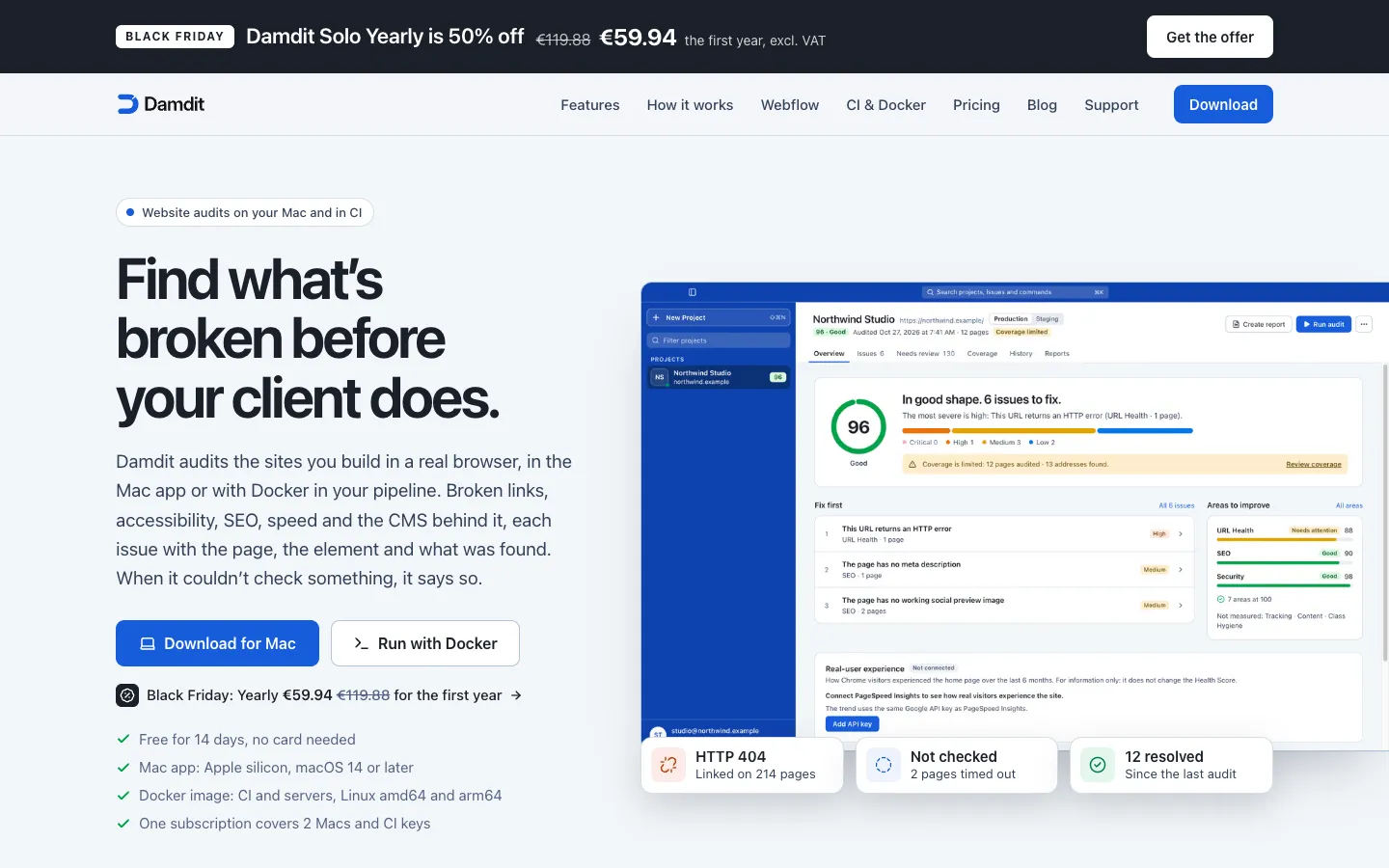
Damdit audits the websites you build in a real browser, either in the Mac app or with Docker in your CI pipeline. It checks broken links, accessibility, SEO, speed and security headers, and each issue comes with the page, the element and what was found.
It shows which issues are new, resolved or came back since the last audit, and can run on a schedule. When a page times out or a check can't run, Damdit says so instead of counting it as a pass.
Features.
Deep audits: Damdit checks up to 500 pages in Chromium, then reads the rest of the site, up to 5,000 addresses, for links, titles and descriptions.
What it checks: Broken links, accessibility (WCAG, using axe-core on the rendered page), SEO and indexing, images and speed, security headers and content. Speed uses Google's PageSpeed Insights, with an optional key.
Evidence: Every issue lists the affected page, the element and what was measured, plus a "How to fix" note grouped by cause.
Coverage: Each audit shows what was checked. A page it couldn't check never counts as passed, and a Needs review list holds checks only a person can answer.
History: See what's new, resolved, came back or still there since the last audit, and schedule audits daily, weekly or monthly.
Localhost, staging, production: Audit each environment separately.
Webflow checks: With a read-only token, it finds published items that point to drafts, wrong references and empty required fields.
Reports: Reports for clients and for developers, and structured files for your own AI tools. A command-line tool and an MCP server are included.
Docker for CI: A Docker image runs audits on servers and in pipelines. Those runs don't count against your 2 computers.
Privacy: Audits run on your computer, and projects and reports stay there. The app says it has no analytics, ad pixels or usage profile, diagnostics are opt-in, and it never edits or publishes a site.
Pricing.
Damdit costs €12.99 a month or €119.88 billed yearly (€9.99 a month), before VAT.
Every feature is included, with updates
14-day free trial of all features, no card needed, starting when you run your first audit
Works on up to 2 computers
Cancel any time and keep access to the end of the paid period
After the trial or a lapsed plan, existing projects and reports stay readable and exportable, but running new audits needs an active subscription
Payments are non-refundable, though EU and UK statutory withdrawal rights still apply


