
Skip to content
macappstoday
  • Today’s appsThe apps launching today
  • CategoriesBrowse by what apps do
  • ArchiveEvery day so far
DealsBlack Friday dealsSubmitSubmit your App
Folders Mini app icon
Launched yesterday · Friday, November 20

Folders Mini

Jump to any folder from a tree beside every Open and Save dialog
PricePaidSee pricing
CategoryUtilities ›
RequiresmacOS 13or later
LaunchedYesterdayNov 20 ›
Folders Mini screenshot

About Folders Mini.

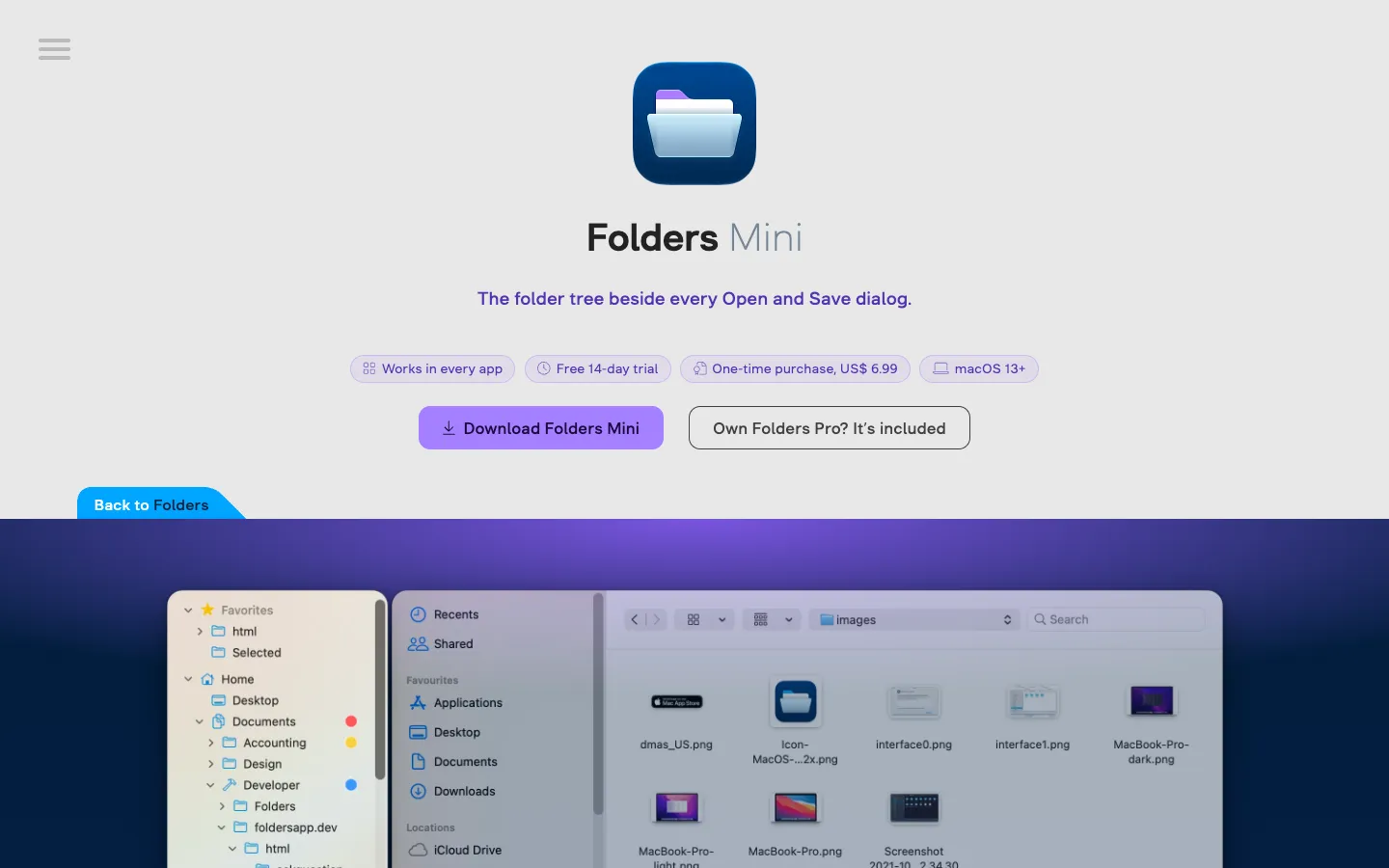
Folders Mini puts a folder tree beside the Open and Save dialogs of your Mac apps. Click a folder in the tree and the dialog jumps straight to it, and the tree follows along when you move around inside the dialog.

The tree holds your Favorites, Home folder, drives, network shares, iCloud Drive and cloud storage, so you don't have to drill down column by column. You can also open a folder in Finder or your terminal app, copy its path and set tags from the tree.

Features.

  • Click a folder, the dialog goes there: The tree sits beside the dialog and stays in sync. Navigate in the dialog and the selection in the tree moves with you.

  • Every destination in one tree: Favorites expand to their subfolders, and Home, internal and external drives, network shares (WebDAV included), iCloud Drive and cloud storage such as Dropbox, OneDrive and Google Drive sit alongside them. Changes to folders show up in the tree right away.

  • More than a click: Open a folder in Finder or your terminal app, add or remove Favorites, copy a folder or its path, and set color and text tags. Buttons under the tree show or hide hidden folders, packages and apps.

  • Your own look: Choose the theme and accent color, font size, row spacing, and the order and visibility of rows. You can add indent guides, label colors and custom folder icons, and your settings sync across your Macs through iCloud.

  • Works in nearly every app: It works with any app that uses the standard macOS Open and Save dialog. Apps that draw their own file dialogs are out of its reach.

  • Many languages: The interface is translated into more than 30 languages, from Arabic and Chinese to Ukrainian and Thai.

  • Included with Folders Pro: If you own the maker's Folders Pro, the same tree comes built in as Folders Mini Companion, so you don't need Folders Mini.

  • Privacy: The permission it asks for is used only to find file dialogs, and nothing about your files leaves your Mac.

Pricing.

Folders Mini costs $6.99, paid once, after a free 14-day trial.

  • Full features during the trial, with no card or account needed

  • Every new release adds 3 more days of trial

  • One licence covers up to 5 Macs

  • Lifetime updates, no ads and no subscription

  • Refunds only if the licence key hasn't been activated, requested within 14 days of purchase

Questions.

What is Folders Mini?
Folders Mini is a utility that adds a clickable folder tree beside the Open and Save dialogs of Mac apps.
Is Folders Mini free?
No. It costs $6.99 once for up to 5 Macs, with no subscription. You can try it free for 14 days first, and every new release adds 3 more days. Refunds are only available before the licence is activated, within 14 days of purchase.
Does Folders Mini work on my Mac?
It needs macOS 13 or later, and the download is about 6.6 MB. Folders Mini doesn't say whether it runs natively on Apple silicon or supports Intel Macs.
Is Folders Mini available for Windows or iPhone?
No. Folders Mini is a Mac app, and its website doesn't mention a Windows or iPhone version.
Where can I download Folders Mini?
From the developer's website, foldersapp.dev. It isn't on the Mac App Store, because App Store apps are sandboxed and a sandboxed app can't get the permission it needs. Andriy Konstantynov makes it, and the latest version is 1.0.2, released November 12, 2026.
Is Folders Mini safe?
Folders Mini asks for the Device Control and Data Access permission (called Accessibility on macOS 26 and earlier) so it can find Open and Save dialogs and send them to the folder you click. It says it uses the permission only for file dialogs and that nothing about your files leaves your Mac. There's no public source code.
Does Folders Mini work in every app?
In every app that uses the standard macOS Open and Save dialog, which the developer says is nearly all of them. An app that draws its own file dialog is out of its reach.
How is Folders Mini different from Default Folder X?
Both put your favorite folders one click away in Open and Save dialogs. According to Folders Mini's website, Default Folder X does it with menus added to the dialog and adds much more, such as recent files, shortcuts, previews and Finder add-ons. Folders Mini shows a complete, live folder tree beside the dialog.

More in Utilities.

