
Skip to content
macappstoday
  • Today’s appsThe apps launching today
  • CategoriesBrowse by what apps do
  • ArchiveEvery day so far
DealsBlack Friday dealsSubmitSubmit your App
emcee app icon
Launched Nov 22, 2026

emcee

Group windows into stages you can drag and reorder

PricePaidSee pricing
CategoryUtilities ›
RequiresmacOS 26or later
LaunchedNov 222026 ›
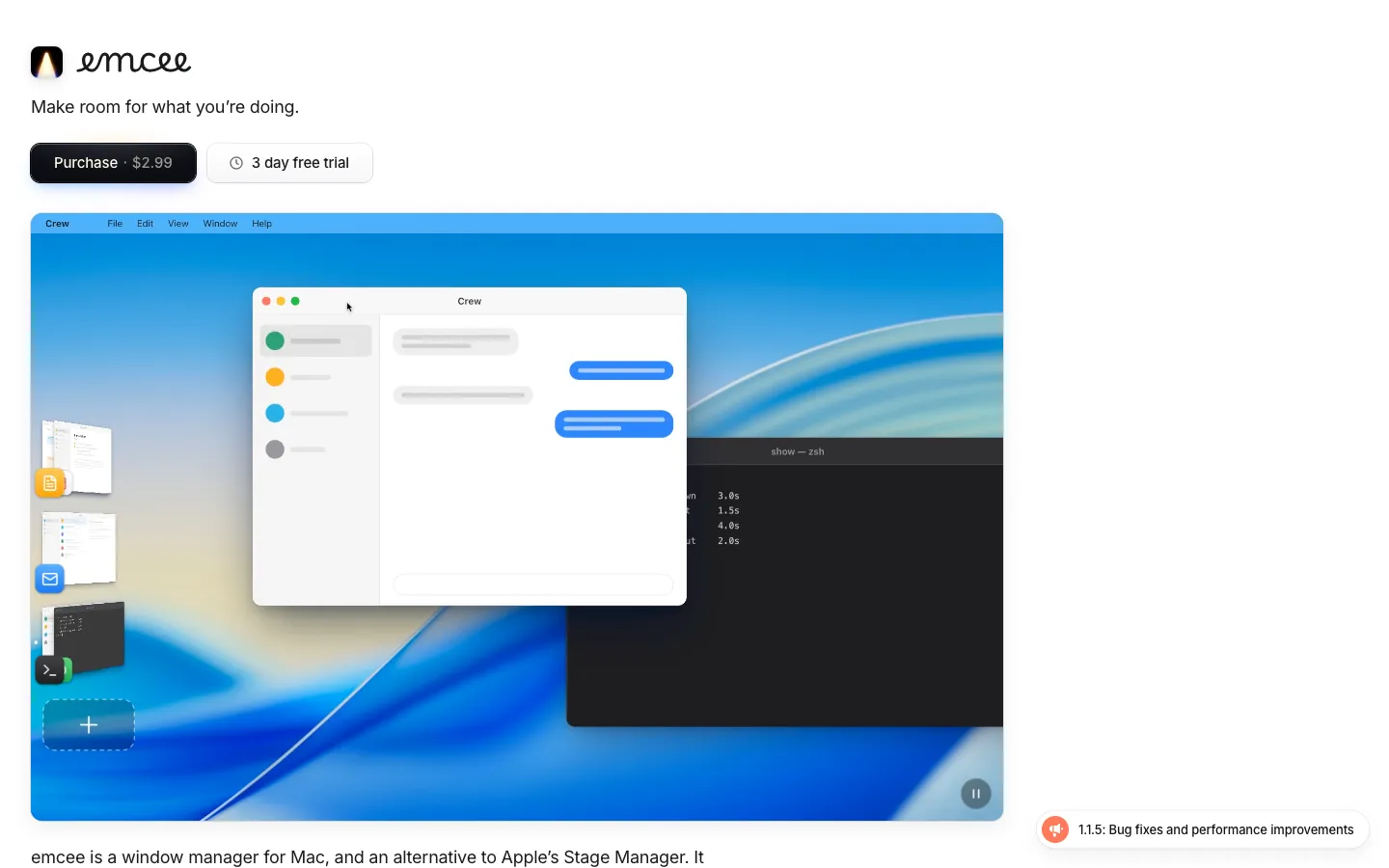
emcee screenshot

About emcee.

emcee groups your windows into stages, like macOS Stage Manager, and lets you decide what goes in each one. Drag a window onto a stage to move it, drag stages to reorder them, and new windows open in the stage you're on.

Stages stay in the order you put them. Each Desktop and display has its own stages and its own strip of tiles, and Cmd-Tab and Cmd-Tilde switch to the right stage.

Features.

  • Drag and drop stages: Move apps and windows into and out of any stage. You can make as many stages as you like.

  • Your order: Stages stay where you put them instead of rearranging as you work.

  • New windows join your stage: A window you open lands in the stage you're on.

  • Desktops and displays: Each Desktop and each display has its own stages and strip. Full-screen apps have no strip, and a window that leaves full screen joins the stage you're on.

  • Cmd-Tab and Cmd-Tilde: Cmd-Tab switches to the stage of the app's window you used last. Cmd-Tilde cycles through the app's windows, including ones in other stages.

  • Notifications: Click a notification and emcee switches to the stage of the window it's about.

  • Minimized and hidden windows: They stay in their stage and show dimmed on its tile.

  • Quit anytime: Quitting emcee brings every stashed window back on screen, and your windows return to their stages when it opens again.

  • Live previews: Screen Recording shows live previews of windows in the strip. Accessibility lets emcee move and hide windows.

  • Restarts: emcee opens on its own at login. After a restart or logout, it doesn't remember stages for apps that quit, so their windows join the stage you're on when they reopen.

Pricing.

emcee costs $2.99, paid once, with a 3-day free trial.

  • Full app during the trial, then it stops arranging windows until you enter a licence key

  • Updates included

  • No subscription

  • One key works on 3 Macs for one person

  • 14-day refund, and a refunded key stops working

What users love.

  • The price One buyer who uses Stage Manager full time said it's worth $3 and they love it so far.

  • Stages that keep their order Early users like that stages aren't rearranged after use.

  • A gap filled Another early user called it fantastic and said it scratches an itch they'd had for a while.


Questions.

What is emcee?
emcee is a window manager for Mac that groups your windows into stages you control, as a replacement for Apple's Stage Manager.
Is emcee free?
No. It costs $2.99 once, with no subscription. There's a 3-day free trial of the full app, then emcee stops arranging windows until you enter a key. Refunds are available within 14 days.
Does emcee work on my Mac?
It needs macOS 26 or later, with Accessibility and Screen Recording permissions. emcee doesn't say whether it runs natively on Apple silicon or supports Intel Macs. The download is a zip of about 8.5 MB.
Is emcee available for Windows or iPhone?
No. emcee is a Mac app, and its website doesn't mention a Windows or iPhone version.
Where can I download emcee?
From the developer's website, fuzzyfoundry.com/emcee. It isn't on the Mac App Store, and unrelated apps with similar names exist, so use that page. Fuzzy Foundry, LLC makes it, and the latest version is 1.1.5.
Is emcee safe?
emcee asks for Accessibility to move and hide windows, and Screen Recording to show live previews. Crash reports (Sentry) and usage statistics (PostHog) are on by default, and you can turn them off. It also goes online to check for updates, your trial and your licence, and it works offline for up to 30 days before needing a licence check. There's no public source code.
How is emcee different from Stage Manager?
emcee keeps the Stage Manager idea and adds control over it. You can drag windows into stages, reorder stages, and have new windows open in your current stage.
Do I need to turn off Stage Manager to use emcee?
emcee turns Stage Manager off when it starts and doesn't turn it back on. To use Stage Manager again, quit emcee and turn it on in System Settings under Desktop & Dock.

More in Utilities.
