DiskPress
Save disk space by compressing files and sharing duplicate data
About DiskPress.
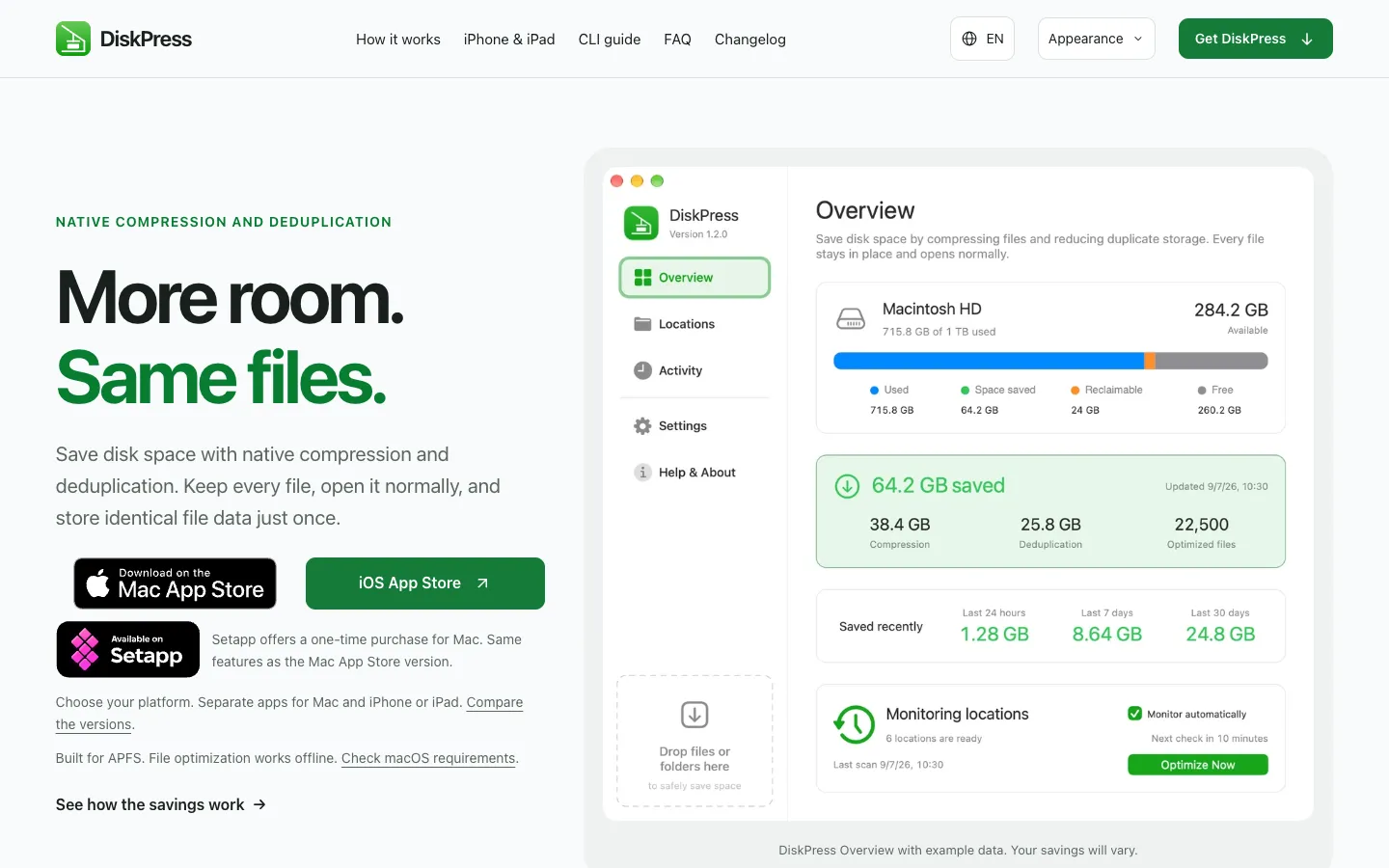
DiskPress saves disk space without removing your files. It compresses supported files with macOS's built-in compression and stores identical files' data once using APFS clones, so every file keeps its name and path and opens normally.
You can drop files or folders onto it for one-time work, or add folders to keep optimized in the background. Version 1.2.0 adds optional cleanup rules for logs and temporary files that run before the other steps.
Features.
Native compression: Lossless compression that macOS reads on its own, so there's no archive to unpack and nothing to open first.
Deduplication: Identical files across your saved locations on the same APFS volume share their data through copy-on-write clones, not hard links. Each file stays in place, and editing or deleting one doesn't change the other.
Workflow for every location: Choose cleanup, deduplication and compression in any combination for each saved folder.
Cleanup profiles: Build editable profiles with removal and keep rules using wildcard masks or regular expressions, or start from presets for logs, temporary files and build output. Each profile chooses Move to Trash or permanent deletion, and cleanup respects your recent-file protection setting.
Drag and drop: Drop files or folders onto the app, or on its Dock icon, to optimize them once without adding a monitored location.
Automatic monitoring: Keeps chosen folders optimized on a schedule, with controls in the menu bar.
Performance settings: Separate settings for battery and power adapter, from Low CPU to Fastest.
Activity log: Explains which files were skipped and why. You can also set exclusions, file size limits and a minimum saving.
Command line: A built-in CLI can output JSON.
Privacy: The Mac App Store version says it has no account, file uploads, analytics or telemetry. The Setapp version adds Setapp activation and app usage reporting.
Pricing.
DiskPress costs $9.99 on the Mac App Store, paid once. It's also available through Setapp, which doesn't publish a price on the DiskPress site.
Includes cleanup, compression, deduplication, monitoring and the CLI
No subscription
DiskPress Everywhere is a $11.49 bundle on the App Store that adds the separate iPhone and iPad app
Refunds follow Mac App Store rules