Afterword
Get a markdown note after every Zoom, Meet or Teams call, no bot needed
About Afterword.
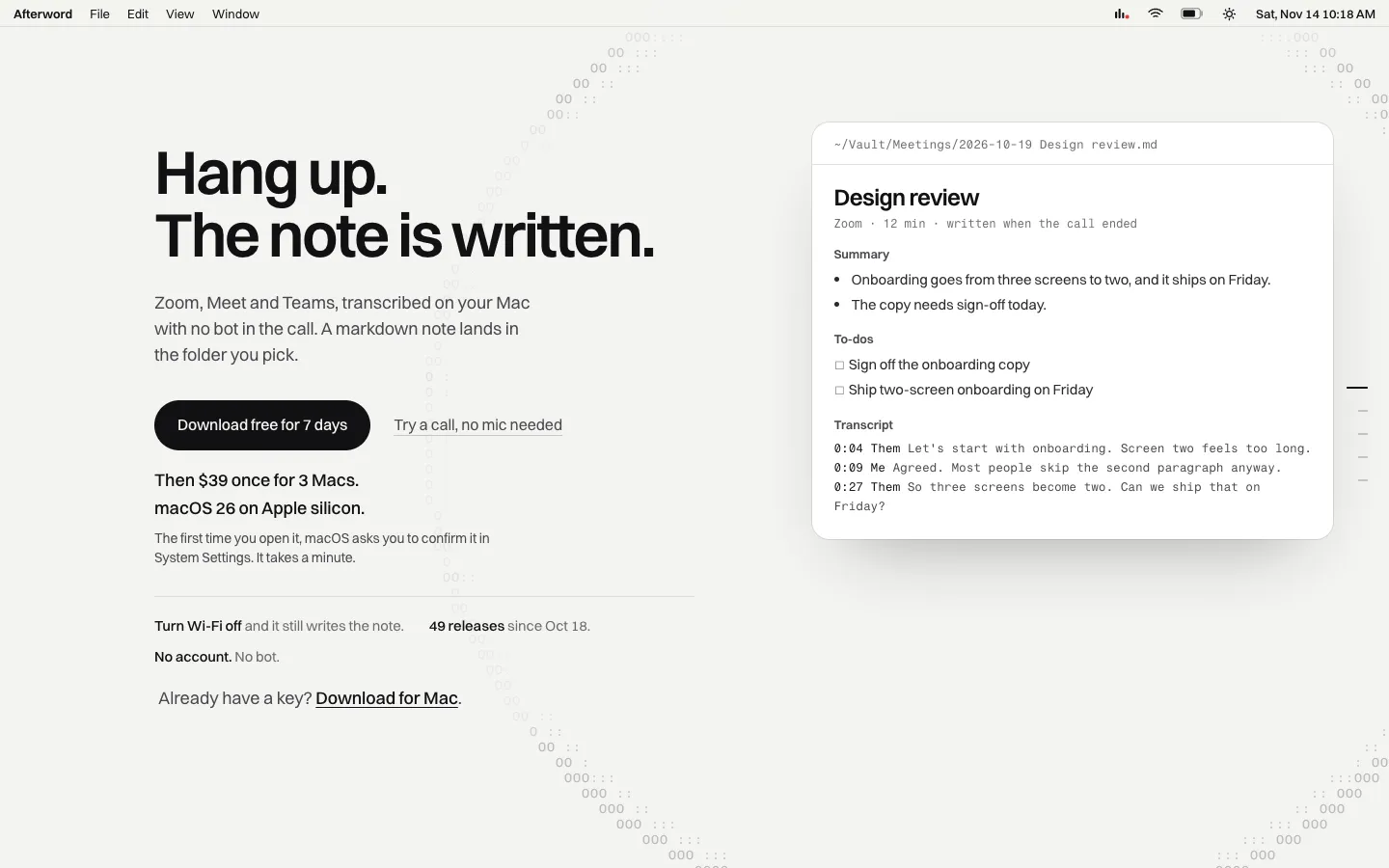
Afterword writes notes for your Zoom, Meet and Teams calls on your Mac. It sits in the menu bar, starts when a call begins, and when you hang up it saves a markdown note with a summary, decisions, action items and the full transcript to a folder you choose.
No bot joins the call, because Afterword hears it through your Mac's own audio. Transcription runs on your Mac, and the summary comes from Apple Intelligence or a model you run in Ollama or LM Studio.
Features.
Starts by itself: Afterword begins recording when a Zoom, Google Meet or Microsoft Teams call starts, in the app or in a browser tab. Slack huddles, Discord and Webex calls work the same way, and FaceTime and iPhone calls taken on the Mac can be switched on in Settings. For a room with no call, press Record and it writes down what the microphone hears.
Markdown notes: Each call becomes a markdown file in the folder you pick, such as an Obsidian vault. Decisions, action items and speakers are saved as note properties, and you can tick off action items in the note.
Summaries on your Mac: The summary, decisions and action items come from Apple Intelligence, or from a model you run in Ollama or LM Studio. Every point in a summary links to the moment it was said.
Catch me up: Press Control-Option-C during a call and the last few minutes come back as three short lines, plus any question someone asked you that's still waiting. Heads up shows a card when someone says your name.
Ask your meetings: Type a question into search and get a short answer drawn from your notes, with the calls it came from. A To-dos list gathers every open action item from every call.
Tuned for atypical speech: A setting that uses Apple's on-device model built for stutters, lisps and other speech differences. Afterword also tidies ums and repeats out of the note and learns the names and words you use.
Live translation: Set the language you speak and the language they speak, and Afterword translates the other side as they talk. Both their words and the translation go in the note.
The quiet minute: When a call ends, a one-minute calm sound plays, so you can reset before you read the note. You can choose the sound or turn it off.
Kept safe: Notes are saved every minute, so a crash or quit loses little. A recording indicator shows whenever it records, and one click copies a recording notice you can paste into the meeting chat.
Privacy: Audio and text stay on your Mac, and it keeps writing notes with Wi-Fi off. The app goes online to activate your key, check for updates once a day and, on a yearly plan, confirm the subscription. Settings lists everything that leaves your Mac.
Pricing.
Afterword costs $39, paid once, or $29 a year. Both cover up to 3 Macs, and you can try it free for 7 days first.
7-day trial with full features, then it asks for a key
Lifetime licence with every update included
Yearly plan price stays locked for as long as you stay subscribed
No account needed
Refund within 14 days of any payment, no explanation needed
What users love.
Easy flow and clean design One user who tried it on a Teams call liked the minimalist flow and design.
Better than similar apps Another user who had tried several apps like it called it the best they'd used.