
Skip to content
macappstoday
  • Today’s appsThe apps launching today
  • CategoriesBrowse by what apps do
  • ArchiveEvery day so far
DealsBlack Friday dealsSubmitSubmit your App
Apoo app icon
Launched Nov 18, 2026

Apoo

Set a separate volume for each app from your menu bar
PricePaidSee pricing
CategoryUtilities ›
RequiresmacOS 26or later
LaunchedNov 182026 ›
Apoo screenshot

About Apoo.

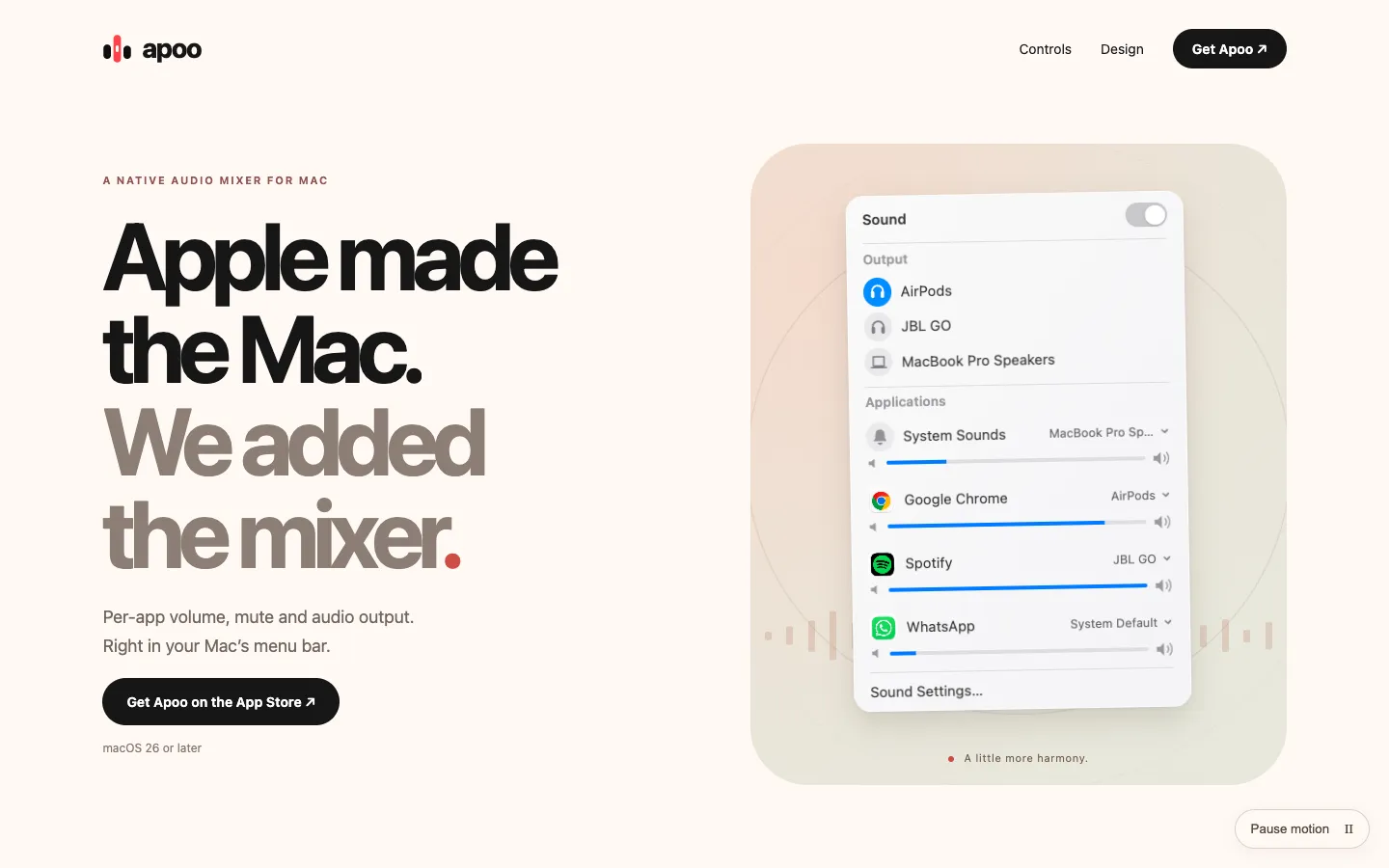
Apoo gives every app on your Mac its own volume, mute button and audio output. Open the menu bar panel and each app that's playing sound gets a slider, an icon you click to mute, and a menu to pick where its audio goes.

You can keep music on your speakers while a call plays through headphones, or turn down a game without touching your music. Apoo processes audio on your Mac, saves nothing and needs no extra audio driver.

Features.

  • Volume per app: Each app with audio output gets its own slider, so your game, music and call can each have their own level.

  • Click to mute: Click an app's icon to mute it, and click again to bring it back.

  • Output per app: Choose an output for each app, or let it follow the system default. The main Output list changes your Mac's default output.

  • System outputs and sounds: The panel gives quick access to your Mac's audio outputs and System Sounds.

  • Built for macOS 26: It uses native controls and Liquid Glass, and follows your Mac's appearance.

  • Menu bar only: There's no Dock icon or app window, and you can set it to open at login.

  • Reset: Sound Settings can clear every saved per-app volume, mute and output choice. Turning Sound off releases Apoo's audio routes.

  • Privacy: Audio is processed live and isn't saved or uploaded. There's no account, advertising or analytics, and no extra audio driver to install.

Pricing.

Apoo is a free download with a 7-day trial. After that, a one-time unlock costs $3.99 on the US Mac App Store.

  • Trial includes all volume, mute and output controls, and starts inside the app

  • When the trial ends the controls stop and normal Mac audio comes back

  • One-time purchase, no subscription or automatic charge

  • Price depends on your App Store country

  • Restore Purchases brings back your unlock or remaining trial

  • Refunds go through Apple

Questions.

What is Apoo?
Apoo is a menu bar audio mixer that sets volume, mute and output separately for each app on your Mac.
Is Apoo free?
It's a free download with a 7-day trial inside the app. After that you need a one-time unlock, $3.99 on the US App Store, with no subscription.
Does Apoo work on my Mac?
It needs macOS 26 or later and permission to access system audio. Apoo doesn't say whether it runs natively on Apple silicon or supports Intel Macs, and the App Store lists the download at about 0.4 MB.
Is Apoo available for Windows or iPhone?
No. Apoo is a Mac app, and its website doesn't mention a Windows or iPhone version.
Where can I download Apoo?
From the Mac App Store, where it's listed under the developer name Guilherme Galambas. The website says it's built by Galambas Studio, and the latest version is 1.4.3, released November 12, 2026.
Is Apoo safe?
It's on the Mac App Store, where Apple reviews every app. Apoo asks for system audio access, which macOS may call Screen & System Audio Recording or System Audio Recording Only, to change each app's volume live. The developer says it doesn't record your screen or save audio, and it has no account, advertising or analytics. The source code isn't published.
How do I change the volume of one app on my Mac?
With Apoo, play audio in the app, open Apoo from the menu bar, turn Sound on and drag that app's slider. Browser audio is controlled as one app, not tab by tab.
Does Apoo work with every audio source?
Not always. Apoo is a stereo mixer, and the developer says protected media and apps with exclusive access to an audio device may not work with it. If an app is missing from the list, start playing audio in it first.

More in Utilities.