ToDoBar
Keep today's to-dos and their deadlines in your Mac menu bar
About ToDoBar.
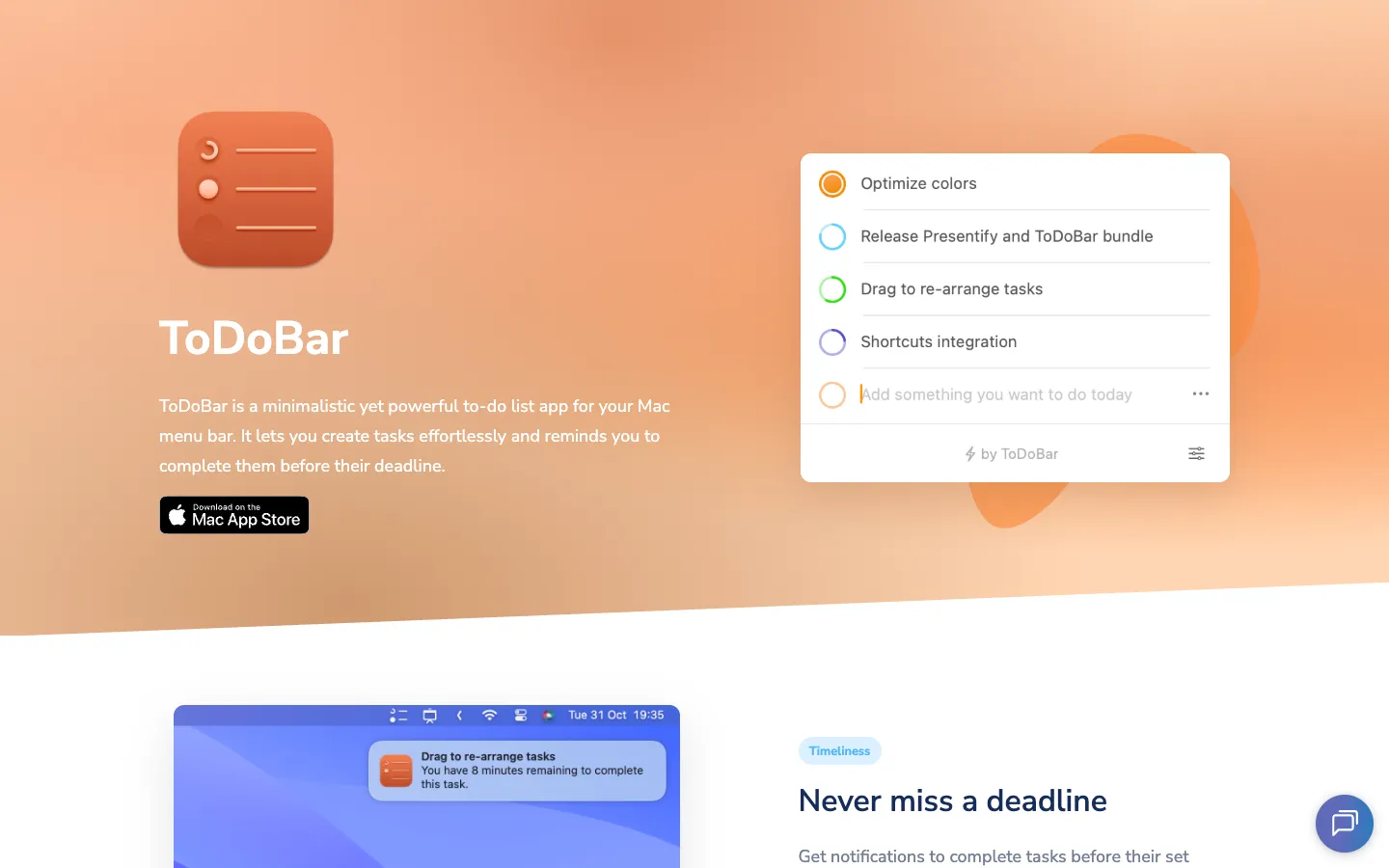
ToDoBar is a to-do list that lives in your Mac menu bar. Click its icon, type a task and press Enter, then give it a deadline and ToDoBar sends a notification before it's due.
Each task has a colored ring that fills up as its deadline gets closer. The menu bar icon can show how many tasks are left today, or the name of your next one, so you can check without opening the list.
Features.
Quick entry: Type a task and press Enter to add it, then press Enter again to start the next one.
Deadline reminders: Set a deadline on a task and get a notification before it's due. You choose how far ahead the reminder comes, and you can turn reminders off for one task or for all of them.
Time ring: A colored ring next to each task shows how much time has passed and how much is left before the deadline.
Per-task settings: Give each task its own color, deadline and notification.
Menu bar count: The menu bar icon can show the number of tasks still pending today, or the next pending task itself.
Hide All Done: Moves finished tasks out of the list and into History. You can also have done tasks hide themselves automatically.
History and analytics: Look back over the past year of tasks and see how productive you've been. You can export everything as a CSV file.
Reorder tasks: Move a task up or down the list with the arrow buttons.
Customization: Change the size of the popover, the theme and the menu bar icon. ToDoBar follows your Mac's Light or Dark mode, or you can pick one.
Privacy: Your tasks stay on your Mac and nothing is uploaded to the cloud. ToDoBar collects no data and uses no third-party services.
Pricing.
ToDoBar costs $2.99 on the Mac App Store, paid once.
No in-app purchases or subscription
One purchase covers every Mac signed in with your Apple ID
50% off for businesses and schools buying 20 or more copies through Apple Business Manager or Apple School Manager
Refunds go through Apple
What users love.
It stays simple One reviewer wanted nothing more than a list of to-dos in the menu bar and says ToDoBar does exactly that. Another calls it a nice little app.
The developer listens One reviewer reported a bug and asked for finished tasks to disappear on their own. The bug was fixed and the option arrived in a later update.