Devly
Developer tools that keep pasted tokens and JSON on your Mac
About Devly.
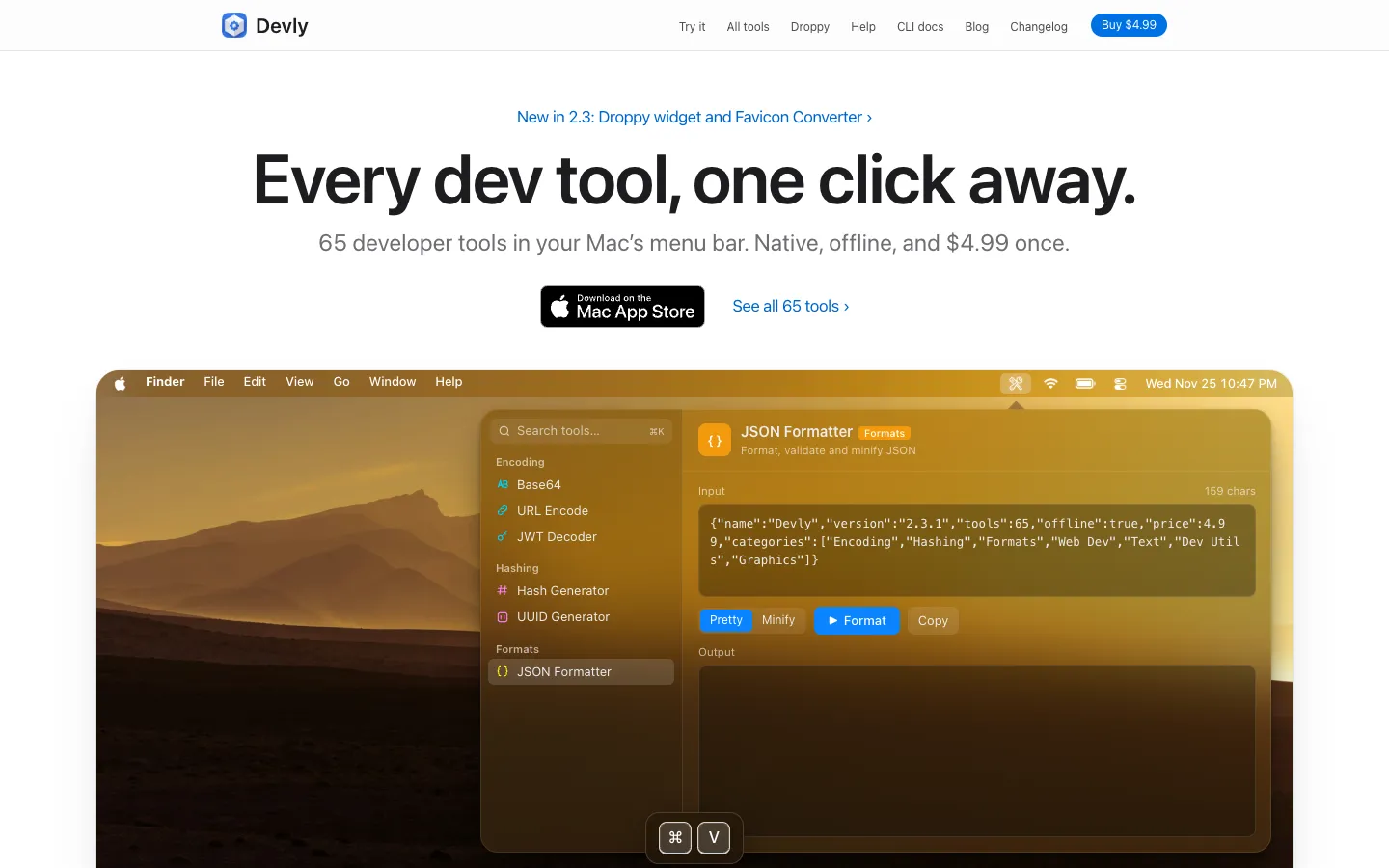
Devly puts 65 developer tools in your Mac's menu bar, such as a JSON formatter, JWT decoder, hash generator and regex tester. Press Control Option Command D in any app and it drops down, ready to use.
Everything runs on your Mac, so tokens and data you paste don't go to a website. Only the HTTP Client and Markdown Preview go online, and only when you ask them to.
Features.
65 tools in seven groups: Encoding, hashing, graphics, data formats, web development, text and general developer utilities, listed in a sidebar the same way.
Encoding and decoding: Base64, URL encoding, HTML entities, JWT decoding, Unicode escapes, binary and hex, Morse code and Caesar cipher.
Hashing and IDs: MD5 and SHA hashes, HMAC, password hashing, checksums, and UUID, ULID, Nanoid and random string generators. Random String can make Base64 and hex keys in the same format as openssl rand.
Data formats: Format and validate JSON, run JSONPath queries, convert between JSON, YAML, XML and CSV, and format SQL, GraphQL and TOML.
Web and graphics: Color converter, CSS, JavaScript and HTML minifiers, Markdown preview, Tailwind colors, color palettes, a live SVG editor and a screen color picker.
Favicon Converter: Drop in one PNG to get a multi-size favicon.ico, Apple touch and Android icons, a web manifest and the HTML tags.
Text tools: Case converter, regex tester with a regex library, text diff, line sorter, text stats, slugs, number bases and Unix timestamps.
Developer utilities: HTTP client, TOTP code generator, QR codes, cron parser, Git branch names, SemVer comparison, HTTP status codes, MIME types, ports, IP info and SSL certificate decoding.
Keyboard first: Command K searches, Command P (Quick Switch) finds a tool by name or by what it does, and Command Return runs it.
Dashboard and favorites: See every tool as a card grid, and keep favorites and recent tools close.
Menu bar or window: Devly lives in the menu bar, or turn on Standalone Window to use it like a normal app and hide the menu bar icon.
Free CLI: Install the command-line companion with Homebrew to run the same tools in Terminal and scripts.
Droppy widget: If you use Droppy, you can run Devly's tools from its notch shelf. It's off until you turn it on.
Liquid Glass: On macOS 26 or later you can pick the Liquid Glass look. Earlier versions use the classic look.
Privacy: Devly has no account, analytics or tracking, and the tools work offline.
Pricing.
Devly costs $4.99, paid once, on the Mac App Store.
All 65 tools
Free updates, new tools included
No subscription and no account
The command-line tool is free (it needs the app)
What users love.
Nothing leaves the Mac Developers like that they no longer paste JSON responses and JWTs into ad-filled websites they don't trust.
Worth the small price Users call it a Swiss Army knife and say having 60-plus tools in one app is worth the $5, especially with no subscription.
A responsive developer One user says the developer added several features they asked for, which they rarely get from other utility apps.
Faster than the command line One reviewer decodes Base64 data and SSL certificates by pasting them in, which they find much easier than Terminal commands.