Classic Calculator
A hand-drawn remake of the 1984 Mac calculator, click sound included
About Classic Calculator.
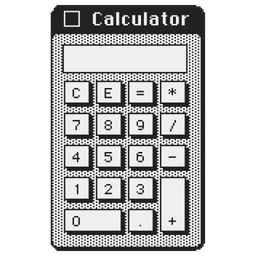
Classic Calculator is a free recreation of the calculator that came with the first Macintosh in 1984, built as a native app for current Macs. Its developer redrew the window, buttons and 7px display by hand as vector pixel art, so it stays sharp on Retina and 5K screens, and each key press plays a short synthesized click.
You can type sums on the keyboard or number pad, copy and paste results, and pin the calculator above other windows while you work. It's an independent project and isn't made or endorsed by Apple.
Features.
Vector pixel art: Every border, button and line is drawn with vector paths and crisp pixel edges, so it stays sharp at 1x to 4x scale on Retina, 4K, 5K and 6K displays.
Mechanical click: Each key press plays a synthesized 40 ms relay snap modelled on early Macintosh keyboards. You can mute it.
7px LCD display: A custom bitmap typeface copies the digit shapes of the 1984 display, with numerals aligned to the right.
Classic schemes: Choose Classic Platinum or high-contrast black and white Monochrome. When you switch to another app, the title bar turns into the hollow outline of an inactive window.
Always on Top: Pin the calculator above code editors, spreadsheets and full-screen apps.
Window shadow: Turn the standard macOS window shadow on or off in Settings.
Menu bar access: Open and control the calculator from the menu bar.
Full keyboard support: Use the number pad or the top row of number keys, plus Return, Enter, Esc, C, E and Backspace. Version 1.0.1 adds Shift and = for plus, x for multiply, the comma as a decimal separator, and the keypad Enter key.
Copy and paste: Copy a result or paste a number with Command-C and Command-V.
Privacy: The developer says the app has no third-party frameworks, analytics, background processes or tracking.
Pricing.
Classic Calculator is free. The developer calls it "free forever" and describes it as a non-commercial project.
All features